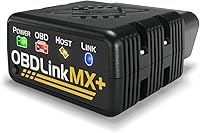
7 Best Car Code Readers (November 2026)
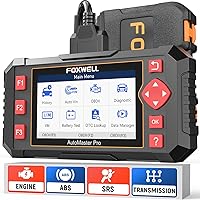
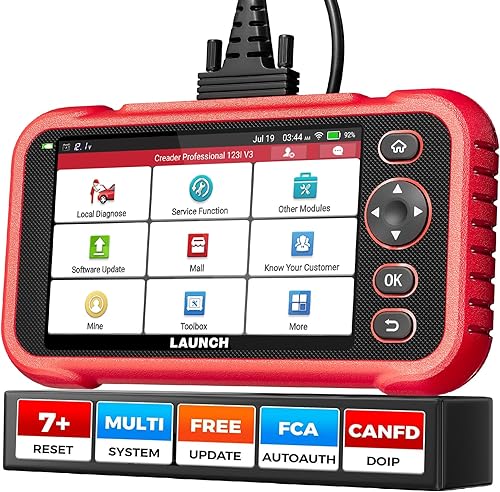
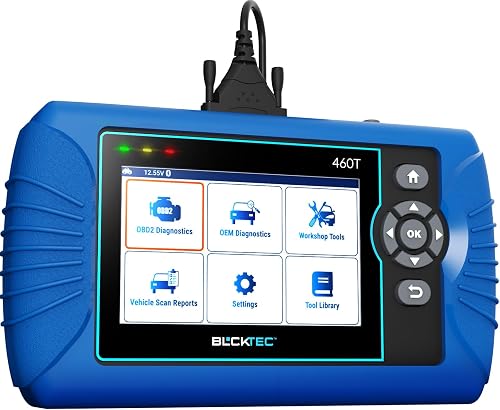
The best best car code readers include the Foxwell NT604 Elite Scanner for DIY fault finding, the LAUNCH CRP123I V3.0 Elite for DIY maintenance jobs, and the BLCKTEC 460T Code Reader for North American garages.
On this page (9 sections)
- How we chose the best car code readers
- Best car code readers for different needs
- What should a car code reader check?
- How do you check compatibility before buying?
- Do you need service resets or active commands?
- How should you set up and use a car code reader?
- Which mistakes cause misleading scan results?
- How do you care for the reader between jobs?
- Which best car code reader fits your repair plan?
The Foxwell NT604 Elite Scanner is our best car code reader for DIY owners who need engine, ABS, SRS and transmission diagnostics without maintenance resets. Choose the LAUNCH CRP123I V3.0 Elite for supported service procedures, or the Innova 5210 Code Reader for routine engine and battery checks.
Buy for the work you expect to do, not the longest feature list. A reader should help you gather evidence, decide what needs attention and check the result after a repair.
For a wider range of tools, see our best OBD2 scanners for DIY car owners and guide to choosing an OBD2 scanner.
Our picks at a glance
-
1

-
2
-
3
- 4
 Best for routine engine checksCheck it
- 5
 Check it
Innova SD35 ABS and SRS Scanner
Best for tire warning investigations - 6
 Check it
Innova 5410 All-System Scanner
Best for multi-system repair planning - 7
 Check it
Innova 5310 ABS and SRS Code Reader
Best for safety light investigations
How we chose the best car code readers
We put useful diagnostic coverage and clear limits ahead of feature counts. GadgetLore compared the supported systems, live data, service procedures, update terms and vehicle restrictions of these readers.
The first distinction is between finding faults and carrying out maintenance procedures. A reader can suit an owner who wants to understand warning lights while being the wrong choice for someone replacing a battery or servicing electronic parking brakes.
We also considered how you use the information afterward. Playback, saved reports and repair guidance help you review a fault without trying to remember everything shown under the dashboard.
The scores reflect these features and limits for a home garage. They do not make vehicle coverage interchangeable: a lower-ranked reader with confirmed support can be a better buy for your car.
| Product | Best for | Systems | Display | Updates | Our score |
|---|---|---|---|---|---|
| Foxwell NT604 Elite Scanner | DIY fault finding | Engine, ABS, SRS and transmission | 4.3 in | Lifetime updates | 8.6 |
| LAUNCH CRP123I V3.0 Elite | DIY maintenance jobs | Engine, ABS, SRS and transmission | 5 in touchscreen | Lifetime free updates | 7.8 |
| BLCKTEC 460T Code Reader | North American garages | All-system coverage varies by vehicle | 4.3 in | Free lifetime updates | 7.7 |
| Innova 5210 Code Reader | routine engine checks | Engine, with ABS coverage that varies | 2.8 in | 7.6 | |
| Innova SD35 ABS and SRS Scanner | tire warning investigations | Engine, transmission, ABS, SRS and TPMS | 3.5 in | 7.6 | |
| Innova 5410 All-System Scanner | multi-system repair planning | Engine, ABS, SRS and transmission | 2.8 in | 7.4 | |
| Innova 5310 ABS and SRS Code Reader | safety light investigations | Engine, ABS and SRS; coverage varies | 2.8 in | 7.1 |
Best car code readers for different needs
Choose the Foxwell for focused fault finding, then consider the other readers when a specific task calls for different coverage. The write-ups below explain who should buy each one and when to move on.
Foxwell NT604 Elite Scanner: Best for DIY fault finding
- Four-system diagnostics
- Live data and playback
- Built-in DTC library
- No extra software fee
Choose the NT604 Elite to investigate warning lights across four common systems without adding maintenance menus you don't need. It includes a protective case but does not perform service resets.
Pros
- Reads four common systems
- Code library, playback and printing
- Software installed for initial use
Cons
- No maintenance resets or relearns
- Cannot clear SRS crash data
Best car code reader for DIY fault finding: Foxwell NT604 Elite
The Foxwell NT604 Elite Scanner suits owners who want to investigate engine, ABS, SRS and transmission warnings before choosing their next repair step. Its built-in DTC library helps explain code terms, while live data, playback and printing give you information to review later.
Software comes installed, so an initial download isn't required before use. AutoVIN can identify supported vehicles; if it fails, you can enter the VIN or select the vehicle manually.
Choose it if you want diagnostic access without a maintenance-focused tool. The included protective case also gives the reader and cables a proper place between jobs.
Skip it if you need service resets or relearns. It cannot perform oil reset, battery registration, ABS bleeding or throttle relearn, and supported SRS code clearing excludes crash data.
Before the first important scan, check the Update menu for available software changes. Confirm your exact vehicle's module coverage rather than relying on the presence of an OBD2 connector.
LAUNCH CRP123I V3.0 Elite: Best for DIY maintenance jobs
- Four-system diagnostics
- 7 service functions
- Four-stream graphing
- Wi-Fi updates
The CRP123I V3.0 Elite suits owners who need diagnostic information and specific maintenance procedures in one tool. Verify each required service function and any adapter needs before buying.
Pros
- Seven service functions
- Recorded data and shareable reports
- One-touch Wi-Fi updates
Cons
- Service coverage varies by vehicle
- CAN FD and DoIP require extra adapters
The LAUNCH CRP123I V3.0 Elite is the better fit when your repair plan extends beyond reading codes. Its seven service functions include oil reset, steering angle reset, ABS bleeding, battery management reset, electronic parking brake reset, DPF regeneration and throttle adaptation.
Its 5 in touchscreen and four-stream graphing suit owners who want to compare readings together. Recorded data and emailed reports help when you need to revisit a fault or share information with a repair shop.
Buy it for a confirmed maintenance procedure, rather than a vague plan to do more repairs someday. Verify that procedure for your exact car before choosing it over the Foxwell.
Skip it if you only need occasional engine-code checks, or if your intended job requires capabilities beyond those confirmed for this model. CAN FD and DoIP need extra adapters, which should be part of your compatibility check.
Service functions also differ from commanding components during diagnosis. Our guide explains what a bidirectional scan tool does before you choose a tool for that purpose.
BLCKTEC 460T Code Reader: Best for North American garages
- Vehicle-dependent all-system diagnostics
- 12+ service functions
- Recorded live data
- RepairSolutions2 app
The 460T combines broad module access, maintenance functions and app-based scan reports for supported vehicles. Both the scanner and companion app are limited to use in the United States and Canada.
Pros
- 12+ service functions
- Live data recording and replay
- Cloud scan reports through the app
Cons
- Limited to the United States and Canada
- Exact feature coverage needs confirmation
The BLCKTEC 460T Code Reader suits a United States or Canadian home garage that needs broader module checks and supported maintenance functions. It combines vehicle-dependent all-system diagnostics with 12+ service functions, including options for transmission reset, TPMS relearn and fluid-change reset.
AutoVIN, AutoScan and AutoReLink reduce repeated vehicle-selection and scan steps. You can graph, record and replay live data, then use RepairSolutions2 to store scan reports in the cloud for later access or sharing.
Choose it when you want to keep a repair record rather than clear a light and forget the details. A saved report helps you separate an old fault from a newly reported one.
Skip it outside the United States and Canada, where BLCKTEC does not support use of the scanner or app. Also confirm newer-vehicle support carefully because BLCKTEC's coverage guidance includes an emphasis on 1996–2023 models.
Use its Compatibility Checker to verify the actual module and service procedure you need. Broad coverage language does not guarantee support for every function on your car.
Innova 5210 Code Reader: Best for routine engine checks
- Engine code reading and clearing
- Battery and alternator checks
- Live engine data
- Oil reset
The 5210 fits owners focused on check engine lights, emissions readiness and battery checks. It also offers oil reset and vehicle-dependent ABS code access.
Pros
- Engine data and readiness information
- Battery and alternator checks
- Companion app without a subscription
Cons
- ABS coverage varies
- Not the choice for confirmed SRS or transmission access
The Innova 5210 Code Reader fits an owner whose main concerns are check engine lights, emissions readiness and battery health. It provides live engine readings, battery and alternator checks, and oil reset without making broad module coverage the reason to buy.
This is a sensible starting point if you want to learn what a warning code means before discussing a repair. RepairSolutions2 adds repair guidance and suggested parts without a subscription, but those suggestions still need to match the vehicle's symptoms.
Choose it when routine engine information covers most of your needs. Its attached OBD2 cable keeps the connection cable with the reader, though you should protect that cable during storage.
Skip it when confirmed SRS or transmission access is essential. ABS code support varies, so check that separately if a brake warning is your immediate reason for buying.
Readiness information is useful before an emissions inspection. Avoid clearing codes just to switch off the light, because that can reset the monitors you need to check.
Innova SD35 ABS and SRS Scanner: Best for tire warning investigations
- Vehicle-dependent all-system diagnostics
- TPMS code and sensor checks
- Battery and alternator checks
- Oil and service resets
Consider the SD35 when TPMS access belongs on your checklist alongside engine and safety-system diagnostics. Its tablet-style interface includes live data, with vehicle-specific limits on coverage and service functions.
Pros
- TPMS code and sensor checks
- Tablet-style interface
- App-based repair guidance
Cons
- Coverage varies by vehicle
- Confirm each required service procedure
The Innova SD35 ABS and SRS Scanner belongs on your shortlist when a tire-pressure warning is part of a broader diagnostic job. It offers TPMS code and sensor checks alongside vehicle-dependent engine, transmission, ABS and SRS access.
Its tablet-style interface uses a 3.5 in display, so don't assume “tablet” means a large workshop screen. Choose it for its supported functions and menu style rather than the label alone.
The SD35 also provides battery and alternator checks, live data, oil reset and other service resets. RepairSolutions2 supplies repair guidance without a subscription.
Buy it if you want TPMS information plus other system checks in the same device. For a tire-pressure warning, first check tire pressures using the vehicle's specified procedure; scan information serves a different purpose from measuring pressure.
Skip it if your job depends on an unconfirmed sensor programming, activation or relearn procedure. TPMS code access does not guarantee support for every tire-service task, so ask about the exact operation before ordering.
Innova 5410 All-System Scanner: Best for multi-system repair planning
- Multi-system code access
- Live sensor data
- Optional OBD1 coverage
- RepairSolutions2 app
The 5410 suits owners who want to collect codes across supported modules before planning repairs. Optional OBD1 coverage requires separate connectors and vehicle confirmation.
Pros
- Reads several common systems
- Live data includes battery voltage
- Companion app without a subscription
Cons
- Coverage is not universal
- OBD1 connectors are sold separately
The Innova 5410 All-System Scanner fits owners who want a wider view of vehicle faults before planning a repair. It reads and clears codes across supported engine, ABS, SRS, transmission and other modules, with live readings that include fuel trims, oxygen sensor information and battery voltage.
Choose it when several warning lights need investigation and Innova confirms the required access. Recording which modules report faults can help organize a repair discussion, especially when several codes appear together.
RepairSolutions2 adds repair guidance without a subscription. Use that guidance to plan further checks, rather than treating a suggested part as a confirmed diagnosis.
Skip it if you need a particular maintenance reset that hasn't been confirmed. Multi-system code access does not tell you which service procedures are available.
The 5410 also offers optional OBD1 coverage through separate connectors. If an older vehicle is part of your garage, confirm both the vehicle support and the required connector before treating that option as a reason to buy.
Innova 5310 ABS and SRS Code Reader: Best for safety light investigations
- ABS and SRS diagnostics
- Engine code reading and clearing
- Live data
- Battery and alternator checks
The 5310 fits an engine, ABS and airbag diagnostic checklist when those functions are confirmed for your vehicle. It also provides readiness information and repair guidance through the companion app.
Pros
- ABS and SRS code access
- Battery and alternator checks
- Readiness and live data
Cons
- Vehicle coverage varies
- Check support for each module and service function
The Innova 5310 ABS and SRS Code Reader suits owners whose checklist centers on engine, brake and airbag warnings. It adds live data, battery and alternator checks, emissions readiness and oil-life information to supported ABS and SRS diagnostics.
Choose it when Innova confirms those systems for your vehicle and you want repair guidance through RepairSolutions2. The app also provides maintenance schedules, which can help separate scheduled care from a fault that needs diagnosis.
Its appeal is a specific, verified match to your car, rather than a reason to assume every advertised function applies. Check individual modules and any battery-related service procedure you plan to use.
Skip it if your main goal is a service operation or broader module access that remains unconfirmed. A familiar brand or model number should not replace that check.
If you would rather view engine information on a phone, compare the best Bluetooth OBD2 scanners. Decide which screen and connection style you prefer before choosing between those formats.
What should a car code reader check?
A reader should access the module reporting your problem and provide enough information for the next diagnostic step. Engine-code support alone is not enough for an airbag, brake or transmission warning.
Basic OBD2 functions focus on emissions-related engine information. Enhanced coverage adds access to manufacturer-specific modules, which is why two readers can connect to the same car yet show different results.
For an airbag light, look for confirmed SRS access. For an ABS light, verify ABS coverage, then check whether the tool supplies the data needed for your intended diagnosis.
Live data shows what sensors and control modules report while conditions change. Freeze-frame information, where available, captures conditions associated with a fault and can help explain why it appeared.
A fault code describes a detected condition, not a shopping instruction. A sensor-related code can involve wiring, connectors or another fault affecting the reading, so replacing the named sensor immediately can waste money.
No codes also doesn't prove that a vehicle has no mechanical problems. Use scan information alongside symptoms, service information and physical checks appropriate to the fault.
How do you check compatibility before buying?
Confirm the vehicle and the exact task, not just the brand name or model year. Write down the year, make, model, engine and any relevant market details before asking for coverage confirmation.
Then name what you need: reading ABS codes, viewing transmission data and performing a battery reset are separate requests. Support for one doesn't guarantee support for the others.
Innova provides a Coverage Checker for its four readers here, and BLCKTEC provides a Compatibility Checker. Contact FOXWELL or LAUNCH when you need vehicle-specific confirmation.
For a household with several cars, check each car separately. A tool that handles engine codes on all of them may reach the airbag module on only some.
Also check accessory requirements and any access conditions for the intended procedure. This matters more than a broad claim about how many brands a reader supports.
Our guide to whether OBD2 scanners work on all cars explains the difference between basic connection support and enhanced coverage.
Do you need service resets or active commands?
You need a service function only when the vehicle's repair procedure calls for it. Oil reset, battery registration, steering angle calibration and ABS bleeding serve different purposes and aren't interchangeable.
Code clearing removes supported fault records. A service reset tells the vehicle that maintenance or another procedure has occurred, while an active command asks a component or system to perform an action.
The Foxwell suits owners who want diagnostic information without service resets. Consider a service-capable option when you already know which supported procedure your repair requires.
Don't perform a reset before doing the work it records. Resetting an oil reminder, for example, doesn't change the oil or check whether the correct service was completed.
Brake procedures and DPF regeneration also have specific operating conditions. Follow the vehicle's service instructions rather than treating the presence of a menu option as permission to start.
For component commands, compare our bidirectional scan tool guide. Confirm active-command coverage separately from code reading and maintenance resets.
How should you set up and use a car code reader?
Start with a parked vehicle, the correct vehicle selection and saved fault information. Follow the reader's connection instructions and the vehicle's required ignition state before beginning a scan.
- Prepare the car. Apply the parking brake and locate the diagnostic port, usually beneath the dashboard.
- Connect carefully. Align the connector without forcing it, and route the cable away from pedals.
- Set the ignition as directed. Many initial code checks use ignition on with the engine off; live readings may require a running engine.
- Confirm vehicle identity. Check AutoVIN results or enter the vehicle manually before selecting a module.
- Save the first scan. Record the code, module, code status and any available freeze-frame details before changing anything.
- Investigate before clearing. Match the information to symptoms and the vehicle's diagnostic procedure.
Use ventilation whenever the engine runs. Keep cables, clothing and the reader away from belts, fans and hot parts.
For an intermittent problem, note when it happens: cold start, warm idle, acceleration or another repeatable condition. Compare relevant readings under similar conditions instead of collecting a long list of unrelated numbers.
Don't operate the reader while driving. Use available recording features safely, or have another person handle the reader while the driver concentrates on the road.
For a fuller connection and scan walkthrough, see how to use an OBD2 scanner.
Which mistakes cause misleading scan results?
The biggest mistakes are erasing evidence too soon and treating codes as confirmed failed parts. Keep the original scan so you can compare it with what returns after a repair.
Clearing codes or disconnecting the battery can reset emissions readiness monitors. A vehicle may then need its specified drive cycle before those monitors show complete, so don't erase codes immediately before an inspection.
Readiness is only one part of inspection preparation. A ready monitor does not guarantee that the vehicle meets every local inspection requirement.
Pay attention to code status. Pending, stored and permanent codes can describe different stages of fault detection, and permanent emissions codes may remain until the vehicle confirms the required conditions.
Low vehicle voltage can also interfere with communication. If the reader disconnects or modules fail to respond, check the connection, ignition state and vehicle power before assuming the reader is defective.
After a repair, follow the required confirmation procedure and check whether the fault returns. Seek qualified help for unresolved brake or airbag faults rather than using a cleared light as proof of safety.
How do you care for the reader between jobs?
Protect the cable, connector and stored information so the reader is ready for the next fault. Unplug it by holding the connector body, then coil the cable loosely instead of bending it tightly around the tool.
Store the reader dry and away from direct sun, liquids and heavy tools. Inspect the connector for damage before use, and keep dirt out of the pins.
Save useful reports with the date, vehicle mileage, symptoms and repair notes. That record is more valuable than an unexplained photo of a code several months later.
Check for software updates before a planned repair, leaving time to complete them without interrupting a scan. For readers with rechargeable batteries, follow the charging and storage instructions.
Remove the reader when the job is finished unless its instructions support continued connection. Our guide to leaving an OBD2 scanner plugged in explains what to consider.
Which best car code reader fits your repair plan?
Choose the Foxwell NT604 Elite Scanner when you want to investigate four common systems and have no need for maintenance resets. Choose the LAUNCH or BLCKTEC when a confirmed service procedure is central to your repair plans, keeping BLCKTEC's regional limit in mind.
Pick the Innova 5210 for routine engine and battery checks. Consider the SD35 for confirmed TPMS access, the 5410 for supported multi-system repair planning, or the 5310 for an engine, ABS and SRS checklist.
Before buying the best car code reader for your garage, write down one vehicle and the next job you need to do. Get that match confirmed, then use our code reader vs scan tool breakdown if you're deciding how much capability the job requires.
Our top 3 picks at a glance
-
1
-
2
-
3
Frequently asked questions
What is the best car code reader for home use?
The Foxwell NT604 Elite Scanner is our top choice for home users who need engine, ABS, SRS and transmission diagnostics without maintenance resets. Confirm coverage for your vehicle before buying.
Choose a service-capable tool instead if your repair plans include supported procedures such as oil reset or ABS bleeding.
Can a car code reader clear warning lights?
A code reader can clear supported fault codes after the underlying problem is repaired, but erasing a code does not repair the vehicle. An active fault may trigger the light again.
Access depends on the system and vehicle.
The Foxwell NT604 Elite cannot clear SRS crash or collision data.
Will one code reader work on every car?
No reader guarantees every function on every car. Basic engine-code access and enhanced module access are separate coverage questions, even when both vehicles have an OBD2 port.
Check the year, make, model, engine and required functions before buying.
Our guide to OBD2 scanner compatibility explains what to confirm.
What is the difference between a code reader and a scan tool?
A basic code reader focuses on emissions-related engine codes, while a scan tool may add other modules, live data or service functions. Brands use these names loosely, so compare actual functions for your vehicle.
Our code reader vs scan tool guide explains which capabilities matter for common repair tasks.