6 Best OBD2 Scanners With ABS and SRS (November 2026)
The best OBD2 scanners with ABS and SRS diagnostics include the Foxwell NT604 Elite Scanner for warning-light checks, the Foxwell NT630 Plus ABS Scanner for DIY brake service, and the LAUNCH CRP123I V3.0 Elite for routine maintenance.
On this page (7 sections)
- Which best OBD2 scanner with ABS and SRS fits your needs?
- How do you choose ABS and SRS coverage that actually fits?
- How should you set up an ABS and SRS scanner?
- How do you avoid costly ABS and SRS mistakes?
- How do you care for the scanner between jobs?
- Sources for vehicle and safety checks
- Which OBD2 scanner with ABS and SRS should you buy?
The Foxwell NT604 Elite Scanner is the best OBD2 scanner with ABS and SRS for most DIY owners who want to investigate warning lights across common vehicle systems. Choose it for diagnosis, then choose a different tool if your planned repair needs a specific service command.
The Foxwell NT630 Plus ABS Scanner suits supported brake-service jobs. The LAUNCH models add maintenance functions, while the Innova options pair diagnostics with app-based repair guidance.
Vehicle coverage comes before extra features. A tool that reads engine codes on your car may still lack access to its airbag module or the brake function you need.
Use our full-system OBD2 scanner guide to compare broader tools, or read how to use an OBD2 scanner before connecting one.
Our picks at a glance
-
1

-
2

-
3
- 4
 Best for tracking recurring faultsCheck it
- 5
 Check it
Innova SD35 ABS and SRS Scanner
Best for multi-system troubleshooting - 6
 Check it
Innova 5310 ABS and SRS Code Reader
Best for guided first repairs
Which best OBD2 scanner with ABS and SRS fits your needs?
The NT604 Elite fits warning-light diagnosis, while the NT630 Plus fits confirmed ABS service tasks. Choose among the other tools based on maintenance coverage, saved reports or repair guidance.
We compared module access, service functions and vehicle restrictions, giving priority to useful diagnosis over a longer feature menu. A higher score does not override compatibility with your car.
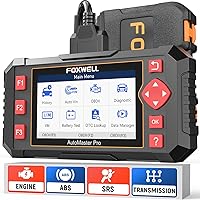
Foxwell NT604 Elite Scanner: Best for warning-light checks
- Engine, ABS, SRS and transmission diagnostics
- Live data, playback and DTC library
- Lifetime updates without extra software fees
- No maintenance resets or relearns
A direct choice for owners investigating warning lights across four common systems. Choose another tool if your main job requires a maintenance reset or ABS bleeding.
Pros
- Four-system diagnostics
- Data playback and print support
- Protective carrying case included
Cons
- No maintenance resets or relearns
- Cannot clear SRS crash data
The Foxwell NT604 Elite Scanner is the clearest starting point if you want to understand a dashboard warning before arranging a repair. It covers engine, transmission, ABS and SRS, so you can check several common modules without moving to a full-system tool.
Live data, a built-in DTC library, playback and print support help you keep more than a code number. Saving that information is useful when a fault comes and goes or a repair shop needs the original scan.
The scanner arrives with software ready to use, includes a protective case and has lifetime updates without extra software fees. Check its update menu before relying on coverage, particularly if the APP or BooT version appears in red.
Skip it for maintenance commands. It cannot perform oil resets, battery registration, ABS bleeding or relearns, so it will not finish those jobs even when it can read the related module.
Its SRS access covers common non-crash faults, not crash-data removal.
Foxwell NT630 Plus ABS Scanner: Best for DIY brake service
- ABS and SRS diagnostics
- Vehicle-specific ABS active tests and auto bleed
- Supported SAS, EPB and oil services
- Free Wi-Fi updates
A focused option for brake work when the exact ABS service is supported on your vehicle. It gives up transmission diagnosis and broader module access.
Pros
- Supported ABS pump and valve commands
- Selected maintenance services
- No phone app or computer needed for updates
Cons
- No transmission diagnosis
- No ABS coding, ABS relearn or airbag crash-data reset
The Foxwell NT630 Plus ABS Scanner fits an owner whose planned job requires ABS active tests or automated bleeding. Those functions can command supported pumps and valves, which is a different ability from reading a brake fault code.
It also offers vehicle-specific SAS calibration, EPB service and oil reset. Free Wi-Fi updates work without a Windows computer, phone app or paid subscription, making it practical for a home garage.
Skip it if transmission diagnosis is a priority. Its scope is ABS, SRS and standard emissions-related OBD2 engine functions, rather than full-system access.
Confirm your exact ABS configuration before buying for brake work. Some Chrysler, Jeep and Dodge applications support automated bleeding only on the right side, so the presence of an auto-bleed menu does not guarantee the complete procedure.
This tool also excludes ABS coding and relearn. Choose it for a confirmed job, rather than as a general upgrade based on its service labels.
LAUNCH CRP123I V3.0 Elite: Best for routine maintenance
- Engine, transmission, ABS and SRS diagnostics
- Seven vehicle-specific reset functions
- 5-inch touchscreen
- Recorded data and four-stream graphing
Combines four-system diagnosis with selected maintenance functions for owners doing more than code reading. Confirm each reset separately, especially before planning a service job.
Pros
- Four-system diagnostics
- Seven supported reset categories
- Data recording and report sharing
Cons
- Reset coverage varies by vehicle
- CAN FD and DoIP require extra adapters
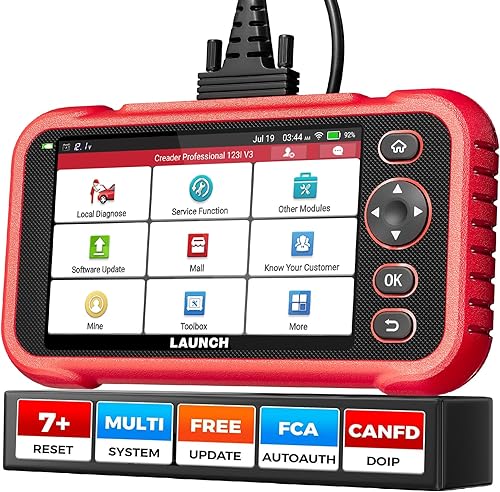
The LAUNCH CRP123I V3.0 Elite suits owners who combine fault diagnosis with routine maintenance on supported vehicles. Its 5-inch touchscreen gives you space to work with menus and recorded data.
It reads four common systems and offers throttle adaptation, oil reset, SAS reset, ABS bleeding, BMS reset, EPB reset and DPF regeneration. Ask about the individual function you plan to use, since coverage for one reset does not guarantee the others.
Four-stream graphing, playback and emailed reports help you review information away from the vehicle. That is useful when you want to compare readings before and after a repair without relying on memory.
CAN FD and DoIP support require extra adapters. AutoAuth support for FCA secure gateways also deserves a separate compatibility check before planning a job on an affected vehicle.
Skip it if you only need occasional code reads. Its extra value comes from service coverage and data tools you will actually use.
LAUNCH CRP123X V3.0 Elite: Best for tracking recurring faults
- Four-system diagnostics
- Saved and shared diagnostic reports
- Live-data graphing and playback
- Vehicle-specific service functions
Fits owners who want a record of codes and live data to compare over time or share with a repair shop. Check the included service menu and older-vehicle coverage before buying.
Pros
- Reports can be saved, printed or shared
- Four-stream data graphs and playback
- Manual vehicle entry if Auto VIN fails
Cons
- Some additional functions require payment
- Older vehicles need careful module-coverage checks
The LAUNCH CRP123X V3.0 Elite suits owners tracking recurring or intermittent faults. Reports can be saved, printed or shared, and live-data recording lets you review a useful event later.
Its four-system diagnostics cover engine, transmission, ABS and SRS, with four-stream graphs and playback. Manual vehicle entry is available when Auto VIN does not identify the car.
Check older vehicles carefully: LAUNCH places its four-system coverage mainly at 2006 and newer, despite broader standard OBD2 support. An older car communicating through the engine menu does not prove its ABS or SRS module is accessible.
Existing features receive free upgrades, while some added functions require payment. Confirm the included reset menu for your vehicle, because the service descriptions differ over whether SAS or SRS appears among the seven services.
Skip it if an unconfirmed extra function is your main reason to buy. Report sharing is useful, but it cannot compensate for missing access to the module you need.
Innova SD35 ABS and SRS Scanner: Best for multi-system troubleshooting
- Engine, transmission, ABS, SRS and TPMS diagnostics
- Live data
- Battery and alternator checks
- RepairSolutions2 guidance without a subscription
Offers broader module coverage with app-based repair guidance on compatible vehicles. A good fit when your needs extend beyond the four common systems covered by several picks here.
Pros
- Broader system diagnostics
- TPMS sensor checks and supported service resets
- Repair guidance through a free app
Cons
- System and service coverage vary
- App guidance requires a compatible phone
The Innova SD35 ABS and SRS Scanner fits owners who need broader module coverage with repair guidance. On compatible vehicles, its scope includes engine, transmission, ABS, SRS, TPMS and other systems.
Battery and alternator checks add another route to investigate electrical symptoms. Low vehicle voltage can affect communication and stored faults, so those checks can provide context rather than simply sending you toward the module named in a code.
RepairSolutions2 works with iPhone and Android without subscription fees. Innova says its repair suggestions draw on real-world repairs by ASE-certified mechanics, with step-by-step guidance and suggested parts.
Use that guidance to plan diagnosis, rather than treating a suggested part as proof of failure. Confirm the fault with the proper vehicle procedure before replacing anything.
Skip it if your main need is a specific ABS command that has not been confirmed. Broader system access, TPMS checks and oil reset do not guarantee support for every brake-service task.
Innova 5310 ABS and SRS Code Reader: Best for guided first repairs
- ABS and SRS diagnostics
- Live data and emissions readiness
- Battery and alternator checks
- RepairSolutions2 app support
Pairs a compact reader with repair information for owners learning to interpret faults. Confirm ABS, SRS and any maintenance function through Innova's Coverage Checker.
Pros
- ABS and SRS functions
- Live data and charging-system checks
- App-based repair and maintenance information
Cons
- Not every function works on every vehicle
- Does not guarantee ABS auto-bleed support
The Innova 5310 ABS and SRS Code Reader suits a first-time buyer who wants repair information beside the fault codes. Its vehicle-powered design and 2.8-inch screen keep the reader compact.
It provides ABS and SRS functions, live data, battery and alternator checks, plus emissions readiness information. English, Spanish and French support may also matter if more than one person will use it.
The RepairSolutions2 app adds maintenance schedules, repair information and parts guidance. That makes it a useful option for learning what to investigate next, without assuming that every code points to a failed component.
Skip it if ABS auto bleed is essential, unless Innova confirms that exact function for your vehicle. Its ABS diagnostic support alone does not mean capability.
Choose between this reader and the SD35 by checking the systems and service tasks you need. A smaller tool is enough when it reaches the required modules and provides the information you can use.
How do you choose ABS and SRS coverage that actually fits?
Choose by vehicle, module and task, in that order. Brand-wide compatibility claims and a matching 16-pin connector cannot answer all three questions.
What makes the best ABS and SRS OBD2 scanner for your car?
The best match has confirmed access to both modules on your exact vehicle. Gather the year, make, model, VIN, engine size and market where the vehicle was sold before asking about coverage.
Ask separate questions: can it read the module, clear repaired faults, display the data you need and perform the intended service? A simple “yes, it supports your car” leaves too much unresolved.
For the Innova tools, use the Coverage Checker and look at each needed function. For the others, request confirmation with the same vehicle details and the precise job.
Keep that confirmation with your order information. It gives you something concrete to compare with the scanner's menus during initial setup.
Is reading codes enough for your next job?
Code reading is enough for collecting faults and planning diagnosis. It is not enough when a repair procedure requires the tool to operate a component, start a service routine or store a learned value.
An ABS sensor circuit code, for example, can guide checks of wiring, connectors and the sensor. It does not prove which part failed, and changing the named part without further checks can waste money.
Active commands and service routines are separate capabilities. Our code reader versus scan tool guide explains that distinction, while the bidirectional scan tool guide covers tools for broader command functions.
If your needs are mainly engine codes and readiness checks, compare our best car code readers. For a wider starting point, use our best OBD2 scanners for DIY owners.
Do you need live data or just fault descriptions?
Live data matters when you need to check how a system behaves, rather than only see what it stored. Before buying, confirm access to the particular values you expect to use.
For an ABS concern, supported wheel-speed values may help identify a reading that differs from the others. Engine RPM and coolant data do not guarantee access to those ABS values.
Graph a small group of related signals instead of filling the screen with every available item. Too much information makes a brief change harder to spot.
What does “no subscription” cover?
Free updates and included functions are separate questions. Confirm what works at delivery, what receives updates and what needs an adapter, account or additional purchase.
This distinction matters most when buying for one advanced service. A free software update cannot supply a function that the tool or vehicle does not support.
For a household with several vehicles, check every car you intend to scan. Coverage on one model does not guarantee the same access on another from the same brand.
How should you set up an ABS and SRS scanner?
Start with current software, correct vehicle identification and a saved initial scan. Those steps reduce avoidable communication problems and protect information you may need later.
Prepare the tool and vehicle
Read the scanner's connection instructions and the vehicle's diagnostic procedure first. Park securely, apply the parking brake and use ventilation whenever the procedure requires the engine to run.
Update the tool over a stable connection before starting a planned repair. Charge a battery-powered unit as directed, and make sure the vehicle battery is in suitable condition for the job.
Locate the diagnostic socket and inspect it for damage or debris. With the ignition in the position specified by the instructions, connect the cable firmly without forcing it.
Route the cable away from pedals, sharp edges and hot parts. Do not leave the scanner loose where it can fall into the footwell.
Confirm identification before reading modules
Check the vehicle details returned by Auto VIN before continuing. If identification fails, enter the VIN or select the correct vehicle manually rather than choosing the nearest model.
Open the ABS and SRS menus separately to confirm communication. Reading engine codes successfully only proves that the engine connection works.
If a module will not connect, check the selected vehicle, ignition state, battery condition and required adapters. Do not interpret a communication error as proof that the module needs replacement.
Save the first results
Record before clearing. Save the exact code, module name, status and any available freeze-frame information or relevant live data.
Note the warning lights and the conditions when the fault appeared, such as startup, a turn or recent service. This gives a technician more useful context than a code number alone.
Use our OBD2 scanner connection and code-reading guide for the basic sequence. Follow the vehicle's procedure for any service routine beyond reading information.
How do you avoid costly ABS and SRS mistakes?
Keep diagnosis separate from clearing and repair. The scanner provides information or supported commands, but the vehicle still needs a sound repair and the required checks afterward.
Do not erase the evidence first
Clearing codes before saving them can remove useful fault context. It can also reset emissions readiness monitors, which may require a vehicle-specific drive cycle before inspection.
Readiness tells you whether the required monitors have completed their checks. It does not promise a pass or show that ABS and SRS faults are resolved.
After a repair, clear supported faults only when the procedure calls for it. Then scan again and complete the required verification rather than judging the result by the dashboard alone.
Treat brake routines as part of the repair procedure
ABS auto bleed does not replace the vehicle's complete bleeding procedure. The required order, fluid handling and conventional bleeding steps depend on the brake system.
Check coverage before taking the vehicle apart, especially after hydraulic work that may introduce air into the ABS unit. Discovering a missing function with the car disabled creates an avoidable delay.
Stop if the pedal remains soft or the required routine cannot finish. A scanner reporting completion does not mean the brakes are ready for road use.
Keep SRS work within safe limits
An SRS fault code is information, not permission to disturb airbag wiring. Do not unplug restraint components, probe their circuits or run unknown procedures based only on a code description.
Follow the vehicle manufacturer's precautions, including its power-down instructions and waiting periods. Use qualified help for deployed airbags, crash-related faults or work beyond your training.
For ABS warnings, distinguish a stored fault from signs that require immediate attention. A red brake warning, fluid leak, changed pedal feel or reduced braking calls for prompt assessment rather than another attempt to clear codes.
How do you care for the scanner between jobs?
Store it clean, dry and protected, with the cable loosely coiled. Avoid trapping the lead under the case lid or bending it sharply at the connector.
Disconnect by holding the plug rather than pulling the cable. Inspect the pins and cable jacket before the next use, especially if the tool has been dropped or used around fluids.
Keep the screen and connector away from brake fluid, cleaners and moisture. Follow the tool's cleaning instructions instead of spraying liquids directly onto it.
Save reports with the vehicle identity, date and repair notes so later scans are easy to compare. Check for software updates before a new job, leaving enough time to resolve account or connection problems.
Sources for vehicle and safety checks
Use EPA information for OBD background and NHTSA for airbag safety guidance. Neither source confirms the coverage of a particular scanner.
Read the U.S. Environmental Protection Agency's OBD information and the National Highway Traffic Safety Administration's air bags guidance.
Which OBD2 scanner with ABS and SRS should you buy?
Buy the NT604 Elite for diagnosis, or the NT630 Plus when a confirmed ABS service function decides the purchase. Choose a LAUNCH model when supported maintenance routines or saved data justify the extra menus.
Pick the SD35 when you need its broader module coverage, or the Innova 5310 when its compact reader and app guidance cover your work. Check exact function support before comparing convenience features.
The best OBD2 scanner with ABS and SRS is the one that completes your intended task on your vehicle. Write down that task before ordering, then keep the coverage confirmation for your first scan.
If your next repair involves modules beyond these choices, use our full-system scanner guide to define the broader access you need.
Our top 3 picks at a glance
-
1
-
2
-
3
Frequently asked questions
Can every OBD2 scanner read ABS and SRS codes?
No. Standard OBD2 access covers emissions-related engine information and does not guarantee communication with ABS or SRS modules.
Choose a scanner with confirmed support for both systems on your exact vehicle.
A matching diagnostic connector or a broad brand-coverage claim is not enough to establish that support.
Can an OBD2 scanner turn off an ABS or airbag light?
A compatible scanner can clear supported fault codes after the cause has been repaired. An active fault may prevent clearing or bring the light back immediately.
Save the original codes first, and remember that a cleared warning does not prove the brakes or airbag system are working correctly.
What is the difference between ABS code reading and ABS auto bleed?
ABS code reading retrieves faults stored by the brake control module. Auto bleed commands supported pumps or valves as part of a vehicle-specific brake bleeding procedure.
A scanner can support the first task without supporting the second, so confirm auto bleed separately for your vehicle and ABS configuration.
Can these scanners clear crash data from an airbag system?
Do not buy these tools on the assumption that ordinary SRS code clearing includes crash-data removal. The Foxwell NT604 Elite cannot clear crash or collision data, and the NT630 Plus excludes airbag crash-data and module reset.
A vehicle with deployed restraints needs the manufacturer's repair procedure and qualified assessment.