5 Best OBD2 Scanners for Diesel Trucks (November 2026)
The best OBD2 scanners for diesel trucks include the ANCEL HD601 Heavy Duty Truck Scanner for mixed vehicle households, the NL102 Heavy Duty Diesel Truck Scanner for routine fleet checks, and the Foxwell HD301 Heavy Duty Truck Scanner for phone-free roadside checks.
On this page (9 sections)
- How we chose OBD2 scanners for diesel trucks
- Compare diesel truck scan tools by the job
- Which diesel truck scanner fits your work?
- What must match before you buy a diesel scanner?
- How should you set up a diesel truck scanner?
- How do you turn codes and live data into useful checks?
- Which mistakes waste time or lead to the wrong purchase?
- How should you care for a truck scanner?
- Which OBD2 scanner for diesel trucks should you choose?
The ANCEL HD601 Heavy Duty Truck Scanner is our top OBD2 scanner for diesel trucks for general heavy-duty diagnostics and engine checks on compatible cars. Choose a different model when your main job calls for supported DPF regeneration or live data graphs.
The key buying decision is vehicle and function coverage. A scanner can fit the diagnostic socket yet lack access to the module or service task you need.
For a wider view, see our guide to full-system OBD2 scanners. If a brake or restraint warning prompted your search, compare the coverage questions in our guide to OBD2 scanners with ABS and SRS.
Our picks at a glance
-
1
 Best for mixed vehicle households
ANCEL HD601 Heavy Duty Truck Scanner
7.5/10 our score
See it on Amazon -
2
 Best for routine fleet checks
NL102 Heavy Duty Diesel Truck Scanner
7.3/10 our score
See it on Amazon -
3
 Best for phone-free roadside checks
Foxwell HD301 Heavy Duty Truck Scanner
7.1/10 our score
See it on Amazon
- 4
 Check it
ANCEL HD100 Bluetooth Truck Scanner
Best for compatible regen work - 5
 Best for tracking intermittent faultsCheck it
How we chose OBD2 scanners for diesel trucks
We compared truck coverage, connection options, fault information and service functions to separate general diagnostic tools from models suited to a specific job. The scores reflect that fit rather than a promise that one scanner reaches every module on every truck.
We gave priority to tools that explain faults and show operating data, since a code alone rarely tells you which part to replace. We also separated heavy-duty coverage from pickup and passenger-car support.
DPF work needs its own check because reading aftertreatment faults and commanding regeneration are different functions. A broad truck-brand list does not guarantee support for either task on a particular engine.
These are tools for gathering information and guiding the next check. None should be bought on the assumption that a code definition proves the cause of a fault.
Compare diesel truck scan tools by the job
The HD601 is the general-purpose starting point, while the other picks address more specific routines. Use the table to narrow your choices, then confirm coverage against the exact vehicle rather than choosing by score alone.
| Product | Best for | Diagnostics | Connections | DPF regeneration | Our score |
|---|---|---|---|---|---|
| ANCEL HD601 Heavy Duty Truck Scanner | mixed vehicle households | Heavy-duty full system; OBD2 for compatible light-duty vehicles | 6-pin, 9-pin and 16-pin | Confirm required function with ANCEL | 7.5 |
| NL102 Heavy Duty Diesel Truck Scanner | routine fleet checks | Full-system general diagnostics on compatible trucks | 6-pin, 9-pin and 16-pin | Not supported | 7.3 |
| Foxwell HD301 Heavy Duty Truck Scanner | phone-free roadside checks | Full system for compatible heavy-duty trucks; engine only for passenger cars | 6-pin, 9-pin and 16-pin | Not supported | 7.1 |
| ANCEL HD100 Bluetooth Truck Scanner | compatible regen work | Supported heavy-duty systems and aftertreatment functions | 9-pin or 16-pin vehicle connection; Bluetooth phone access | Supported Cummins and Caterpillar applications | 7.0 |
| LAUNCH CR HD V2 Truck Scanner | tracking intermittent faults | Full system for compatible heavy-duty trucks; OBD2 for passenger cars | 6-pin, 9-pin, CT 9-pin and 16-pin | Confirm required function with LAUNCH | 7.0 |
For a small fleet, consider the oldest and newest vehicles you need to scan. Coverage for the newest truck will not help if the scanner cannot communicate with an older vehicle that still needs regular attention.
Also decide where you want the information displayed. A separate handheld keeps the task independent of your phone, while an app-based tool makes phone access part of every diagnostic session.
Which diesel truck scanner fits your work?
Choose the HD601 for mixed vehicle needs, the NL102 for routine checks, or the HD301 for phone-free truck diagnostics. The HD100 serves compatible regen work, while the CR HD V2 suits readers who need to follow changing data.
ANCEL HD601 Heavy Duty Truck Scanner: Best for mixed vehicle households
- Heavy-duty full-system diagnostics
- HDOBD and OBD2 support
- 6-pin, 9-pin and 16-pin connectors
- DTC library and live data
A handheld choice for owners who need truck system checks and standard OBD2 engine diagnostics on compatible cars. Manual SPN/FMI lookup helps explain truck faults without internet access.
Pros
- Truck diagnostics and compatible car engine checks
- Manual SPN and FMI lookup
- Lifetime free updates
Cons
- Light-duty vehicles get OBD2 diagnostics only
- Available truck systems vary by vehicle
The ANCEL HD601 Heavy Duty Truck Scanner suits an owner-operator who wants to check a commercial truck and also read engine information from compatible household vehicles. Its broader heavy-duty system access does not extend to every module on those lighter vehicles.
It supports 12V and 24V heavy-duty applications, with J1939 and J1587/J1708 communication. On supported trucks, available systems can include the engine, transmission, ABS, instrument cluster and body.
The strongest reason to choose it is its fault-information workflow. Alongside a DTC library, you can manually enter SPN and FMI codes, which is useful when you have recorded a truck fault and need its meaning without internet access.
Live readings and freeze-frame information give you more context than a warning light alone. Use that information to describe the symptom clearly before deciding whether to inspect further or book a repair.
Buy it for general diagnostics across eligible vehicles. Skip it if your main requirement is a specific DPF procedure or manufacturer service task that ANCEL has not confirmed for your truck.
NL102 Heavy Duty Diesel Truck Scanner: Best for routine fleet checks
- Full-system general diagnostics
- Live data and built-in DTC lookup
- 6-pin, 9-pin and 16-pin connectors
- Free lifetime updates
A straightforward scanner for routine fault checks, live readings and on-device code explanations. Choose this model for general diagnostics rather than DPF service.
Pros
- Code reading and clearing
- Built-in fault explanations
- Includes a protective nylon case
Cons
- No DPF regeneration
- Exact truck and system coverage needs confirmation
The NL102 Heavy Duty Diesel Truck Scanner suits a driver or small fleet that wants a repeatable routine: read the faults, review available live data and decide what needs attention. Its simple menus and built-in explanations fit that focused role.
NEXAS supports general diagnostics on many compatible Class 4–8 trucks. The included protective nylon case is useful when the scanner moves between vehicles or travels with other maintenance tools.
Use it to build a clearer repair handoff rather than treating every code as a shopping list. Record the affected system, the fault description and when the symptom appears, then compare that information with the live readings available.
Choose the standard NL102 for diagnostic checks, not regeneration. NEXAS places DPF regeneration on the NL102P and NL102 Plus models, so similar names should not substitute for checking the exact model.
Skip it if your maintenance plan depends on that service function. It makes more sense for a fleet that sends aftertreatment work to a shop but still wants useful fault information before making the call.
Foxwell HD301 Heavy Duty Truck Scanner: Best for phone-free roadside checks
- Supported truck engine, transmission, ABS, SRS, chassis and body checks
- 6-pin, 9-pin and 16-pin connectors
- Text live data
- No subscription
A plug-in handheld for drivers who want supported truck module checks without a phone app or Wi-Fi. Live readings appear in text form, and DPF regeneration is not included.
Pros
- Built-in DTC lookup
- No app or separate battery required
- Lifetime free software updates
Cons
- No DPF regeneration
- Passenger cars get engine diagnostics only
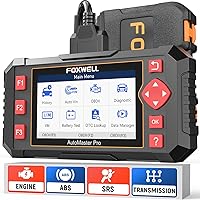
The Foxwell HD301 Heavy Duty Truck Scanner fits drivers who want a self-contained tool for roadside or yard checks. It works without a phone app, Wi-Fi or a separate scanner battery.
Supported heavy-duty modules include engine, transmission, ABS, SRS, chassis and body control. Its J1939, J1708, J1587 and OBDII support makes exact vehicle coverage the next check, rather than the protocol label alone.
Live readings appear in text form, including supported values such as coolant temperature, fuel pressure and engine speed. That format suits quick checks of a few known values, especially when you already know which operating condition you need to inspect.
Choose it for direct module checks without phone setup. Skip it if your routine depends on graphing changing values together or performing DPF regeneration, which this model does not support.
Passenger vehicles get engine diagnostics only. Foxwell directs Chevrolet, Ford, GMC and Ram pickup users to the WWW-OBD menu, so do not expect the heavy-duty module menu to provide equivalent pickup coverage.
ANCEL HD100 Bluetooth Truck Scanner: Best for compatible regen work
- Bluetooth connection through ANCEL Trucker App
- Supported Cummins and Caterpillar DPF functions
- Live data and diagnostic reports
- No recurring software fees
The specialist choice for phone-based truck diagnostics and supported parked regeneration. Confirm the engine, ECU and exact DPF function, and exclude it from a pickup shortlist.
Pros
- Supported parked DPF regeneration and reset
- Works with iPhone and Android
- Lifetime free updates without recurring software fees
Cons
- Not for pickup trucks
- DPF support depends on engine and ECU configuration
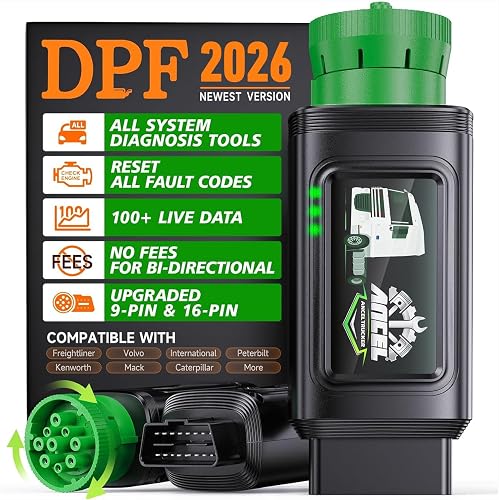
The ANCEL HD100 Bluetooth Truck Scanner is the specialist pick for buyers whose exact engine supports its DPF functions. It connects through the ANCEL Trucker App on iPhone or Android and uses a compatible 9-pin or 16-pin vehicle connection.
Its supported Cummins and Caterpillar applications can include parked regeneration, DPF reset and related aftertreatment diagnostics. Selected Caterpillar equipment also has DPF coverage, but that does not guarantee full-system equipment diagnostics.
The useful distinction is engine-level function support. A compatible truck brand does not guarantee regen access, and the ECU can refuse a request when active faults or operating conditions prevent it.
Choose it if ANCEL confirms the required task for your engine and you prefer phone access. Diagnostic reports can also help keep a record of what you found before and after a repair.
Skip it for pickup trucks, which ANCEL excludes. Also choose a handheld instead if you need a tool that remains usable when your phone is unavailable, discharged or unable to run the app.
LAUNCH CR HD V2 Truck Scanner: Best for tracking intermittent faults
- Graphs 2 live data parameters
- Full-system diagnostics on compatible heavy-duty trucks
- Multiple adapters including CT 9-pin
- Battery voltage monitoring
Choose this handheld when comparing changing readings matters more than reading a code alone. It adds dual-parameter graphs, recording and reports printed through the LAUNCH website client.
Pros
- Graphs 2 parameters at once
- Auto Search and Manual Select modes
- Supports recording and printable reports
Cons
- Specific systems vary by vehicle
- Passenger cars get OBD2 diagnostics only
The LAUNCH CR HD V2 Truck Scanner suits buyers investigating faults that appear only under certain conditions. It can graph 2 available parameters at once, letting you compare their changes rather than reading separate snapshots.
For example, viewing engine speed alongside another relevant supported value can help show when a change occurs. A graph still needs vehicle-specific expected values before you can call the reading normal or abnormal.
Auto Search handles protocol detection, while Manual Select offers another route when you need to choose the system yourself. The adapter kit includes a CT 9-pin connection alongside the common truck and OBD2 options.
Recording and printable reports make this a useful choice when findings need to travel beyond the cab. Reports print through the LAUNCH website client, so plan that step before relying on a paper handoff.
Choose it for data review and record keeping. Skip it if you only want occasional code definitions, and do not buy it for a service procedure unless LAUNCH confirms that exact function.
What must match before you buy a diesel scanner?
Match the vehicle, connector, protocol, module and function, in that order. A broad compatibility claim is only a starting point for this check.
Does the OBD2 scanner fit your diesel truck?
Start with the truck's year, make, model and engine, then identify the diagnostic port. Photograph the port and note any labels so you can ask a precise compatibility question.
The handheld models here include 6-pin, 9-pin and 16-pin connections, while the HD100 uses compatible 9-pin or 16-pin ports. Do not force a connector or assume that an adapter changes the communication system a tool supports.
Next, name the required module and action. “Read transmission faults on this truck” is a clearer request than “Does it work with this brand?”
Ask for confirmation of each must-have function before ordering. Keep that response with the scanner's records, especially if the tool will serve several trucks with different configurations.
Is your vehicle a pickup or a heavy-duty truck?
A diesel engine does not make a pickup a heavy-duty diagnostic application. Pickup modules can need communication and software coverage that a commercial-truck tool does not provide.
If your main vehicle is a Ford, Ram, Chevrolet or GMC pickup, start with exact pickup coverage. Decide whether you need standard engine information or access to transmission, ABS and other manufacturer-specific systems.
Our OBD2 scanner guide for DIY car owners is a better starting point for comparing car and light-truck needs. A heavy-duty scanner makes sense only when its confirmed pickup functions match your work.
Do you need engine codes or other modules?
Buy access to the systems linked to your symptoms. An engine-only reader is a poor match for a recurring ABS warning, even if it communicates with the vehicle.
For occasional engine fault checks, our guide to the best car code readers explains the simpler category. For several warning lights or faults across modules, broader system access can give a more complete starting picture.
Full-system access and bidirectional control are also separate features. Our explanation of what a bidirectional scan tool does shows why reading a module does not mean you can command its components.
Do you need a DPF service function?
Buy for the exact aftertreatment task, not the word “diesel.” Reading a DPF-related code, viewing supported soot information, requesting regeneration and resetting a service value are separate capabilities.
If regen is essential, confirm the engine and ECU configuration as well as the procedure. Also ask which conditions must be met and what information the tool provides when a request is refused.
Do not use a reset to conceal an unresolved fault. Clearing a warning or changing a service value does not remove the physical cause of a blockage or sensor problem.
How should you set up a diesel truck scanner?
Set up the scanner before a warning interrupts a trip. Read the connection instructions, complete any required software setup and make sure you can select the correct vehicle or protocol.
For a handheld, learn where the code, live data and system menus are. For an app-based tool, confirm phone compatibility, permissions and Bluetooth connection while the truck is parked.
Update through the brand's approved process with a stable connection and power supply. Keep the tool's serial number and registration details somewhere accessible without leaving sensitive account information in the cab.
Make the first connection safely
Park in a suitable place, apply the parking brake and follow the truck and scanner instructions for ignition position. Keep the cable clear of pedals, sharp edges and moving parts.
Inspect the diagnostic socket before connecting. Bent pins, dirt or a loose socket can create a connection problem that looks like a scanner fault.
Select the correct diagnostic path rather than cycling through unrelated vehicle menus. If communication fails, check ignition state, connector seating and protocol selection before deciding that the vehicle has a module fault.
Save a baseline before changing anything
Record codes before clearing them. Include the module, full code, description and any status information the scanner shows.
Save freeze-frame or live readings when available, along with the symptom and operating conditions. “Loss of power after warming up” gives a repair shop more useful context than a code number alone.
A healthy baseline can help later comparisons, but only when conditions are similar. Engine temperature, load and other operating changes can affect readings, so note those details rather than comparing unrelated snapshots.
For a fuller walkthrough of the basic workflow, use our guide to how to use an OBD2 scanner.
How do you turn codes and live data into useful checks?
Treat a fault code as a direction for diagnosis, then use symptoms, service information and relevant readings to narrow the cause. A code naming a sensor can also involve its wiring, connector or the condition being measured.
Start with the reported symptom and the affected system. Look for related faults before replacing the first part named in a description.
For heavy-duty fault messages, record both the SPN and FMI when shown. The SPN identifies the parameter involved, while the FMI describes the type of failure detected.
Use fewer live values with a clear purpose
Choose the readings that can answer your next question. A short set of relevant parameters is easier to interpret than scrolling through every value the scanner offers.
For an intermittent issue, note exactly when the symptom appears and compare that moment with available data. Do not assume that a brief change proves a failed component without checking the expected behavior.
Have another person manage diagnostic information if a road evaluation is needed. The driver should focus on driving, and nobody should read a handheld screen while controlling the truck.
Rescan after the repair
After the repair, follow the service procedure, clear codes when appropriate and check for returning faults. A clean scan immediately after clearing is only one part of that process.
Confirm that the original symptom has stopped under the relevant operating conditions. Some faults return only after the vehicle completes the checks that detect them.
Store the before-and-after information together. That record is useful if the problem returns or another person takes over the repair.
Which mistakes waste time or lead to the wrong purchase?
The biggest mistakes are buying by truck brand alone and clearing evidence too early. Both can leave you with less useful information than you expected.
- Confusing communication with coverage: Reaching the engine does not prove access to transmission, ABS or body modules.
- Ordering a similar model name: A suffix can separate a general diagnostic model from one with a service function.
- Replacing parts from code text: Check the circuit and operating conditions before treating a named component as the cause.
- Assuming all live values are available: Supported parameters depend on the vehicle and module.
- Using a voltage display as a complete diagnosis: A reading alone cannot guarantee battery health or locate a parasitic drain.
- Clearing faults before saving them: You can lose context that would help explain an intermittent problem.
Also avoid using the scanner to justify continued driving against the truck's warnings. Follow the vehicle's instructions for stop-engine messages, overheating, oil-pressure warnings and braking faults.
A tool is useful when it helps you choose the next check. Repeatedly clearing the same fault without addressing its cause adds no useful information.
How should you care for a truck scanner?
Keep connectors clean, cables protected and software ready so the tool works when you need it. Store it away from moisture, loose metal parts and cab conditions outside its stated limits.
Inspect cable strain points and connector pins before use. Disconnect by holding the connector body rather than pulling the cable.
Keep adapters together and label them if several people share the tool. Missing the correct adapter can stop a fleet check even when the scanner itself is ready.
For phone-based diagnostics, keep the app current and confirm access before heading somewhere with limited connectivity. Do not assume that every app feature is available offline unless the brand confirms it.
Review vehicle coverage when adding a truck to the fleet. Lifetime updates are useful, but they do not promise support for every future engine, module or service procedure.
Which OBD2 scanner for diesel trucks should you choose?
Choose your OBD2 scanner for diesel trucks by the job you need to complete. First eliminate tools without confirmed vehicle coverage, then compare the remaining workflows.
Pick the HD601 for general heavy-duty checks plus engine diagnostics on compatible cars. Choose the NL102 for a focused fleet fault-check routine, or the HD301 when direct handheld access without phone setup matters most.
Pick the HD100 only when its supported DPF functions match your engine and task. Choose the CR HD V2 when graphs, recording and repair records will help you investigate changing symptoms.
Before ordering, write down one must-have task and obtain coverage confirmation for it. Use our full-system scanner guide for broader comparisons, or follow our guide to choosing an OBD2 scanner to turn those requirements into a shortlist.
Our top 3 picks at a glance
-
1
Best for mixed vehicle households
ANCEL HD601 Heavy Duty Truck Scanner
7.5/10 our score
See it on Amazon -
2
Best for routine fleet checks
NL102 Heavy Duty Diesel Truck Scanner
7.3/10 our score
See it on Amazon -
3
Best for phone-free roadside checks
Foxwell HD301 Heavy Duty Truck Scanner
7.1/10 our score
See it on Amazon
Frequently asked questions
What should a diesel truck OBD2 scanner support?
A diesel truck scanner should match your truck's connector, communication protocol and required control modules. Check the exact model year, engine and ECU configuration, then confirm the functions you need.
A matching plug establishes a physical connection, but it does not guarantee access to ABS, transmission or aftertreatment systems.
Can a heavy-duty truck scanner read codes on a pickup?
Some heavy-duty scanners can read standard OBD2 engine information on compatible pickups, but broader truck coverage does not automatically carry over. The HD100 is not for pickups.
For the other models, confirm your pickup's year, engine and required modules rather than buying from the diesel label alone.
Does every diesel truck scanner support DPF regeneration?
No. The HD100 supports selected DPF functions on compatible Cummins and Caterpillar applications, while the NL102 and HD301 do not support regeneration.
Even with compatible hardware, active faults, soot levels or unmet operating conditions can block the procedure.
Follow the vehicle's service instructions rather than repeatedly forcing a request.
Is a code reader enough for a diesel truck?
A code reader can be enough if you only need supported engine fault codes and do not need other modules or service functions. Choose broader coverage for transmission, ABS or aftertreatment work.
Our guide to code readers vs scan tools explains how those needs change the tool you should choose.