7 Best Bluetooth OBD2 Scanners (November 2026)
The best Bluetooth OBD2 scanners include the OBDLink MX+ Bluetooth Scanner for multi-app DIY owners, the BlueDriver Bluetooth OBD2 Scanner for first-time code diagnosis, and the OBDLink CX Bimmercode Adapter for BMW customization projects.
On this page (8 sections)
- How we chose the best Bluetooth OBD2 scanners
- Bluetooth OBD2 scanner picks for different repair needs
- What should you check before buying a Bluetooth scanner?
- How do you set up a Bluetooth OBD2 scanner correctly?
- How do you turn a fault code into a useful repair plan?
- Which scanner mistakes cause the most trouble?
- How should you store and care for the adapter?
- Which Bluetooth OBD2 scanner should you choose?
The OBDLink MX+ Bluetooth Scanner is the best Bluetooth OBD2 scanner for DIY owners who want to choose their apps and devices. BlueDriver is a better fit for drivers who want enhanced codes and repair guidance together, while a compatible bidirectional scanner suits repairs that need component commands.
Start with the job you need to do: understand a warning light, record engine data, change a supported setting or complete a service procedure. Those tasks need different software and vehicle access, even when the adapters look similar.
For a broader view of tool types, see the best OBD2 scanners for DIY car owners. Drivers comparing full-system readers should focus on module coverage rather than the wireless connection alone.
Our picks at a glance
-
1

-
2
 Best for first-time code diagnosis
BlueDriver Bluetooth OBD2 Scanner
9.1/10 our score
See it on Amazon -
3

- 4
 Best for Android data loggingCheck it
- 5
 Best for planned repair projectsCheck it
- 6
 Best for recurring maintenance workCheck it
- 7
 Check it
Thinkdiag2 Bidirectional Scanner
Best for connected garage diagnostics
How we chose the best Bluetooth OBD2 scanners
We compared device support, vehicle coverage, app choices and ongoing access to separate everyday code readers from tools for deeper repair work. A useful scanner must support your actual task, not just connect to your phone.
The MX+ leads because it gives DIY owners room to choose compatible software. BlueDriver follows for its built-in repair guidance, while the CX and LX serve more specific buyers.
The remaining picks offer full-system scans, service functions and component commands. Their lower positions reflect narrower buying conditions, including feature compatibility, renewal terms or network requirements, rather than a lack of advanced functions.
Treat coverage as 3 separate checks: your vehicle, the module you need and the exact operation. Support for engine codes does not guarantee support for an airbag module, and reading a module does not guarantee support for a service reset.
| Product | Best for | Device support | Main use | Software access | Our score |
|---|---|---|---|---|---|
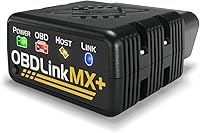
| OBDLink MX+ Bluetooth Scanner | multi-app DIY owners | iOS, Android and Windows | Diagnostics and monitoring with compatible apps | OBDLink app included; third-party terms vary | 9.3 |
| BlueDriver Bluetooth OBD2 Scanner | first-time code diagnosis | iOS and Android | Enhanced codes and repair guidance | Features included without subscriptions | 9.1 |
| OBDLink CX Bimmercode Adapter | BMW customization projects | iOS and Android | BimmerCode on supported BMW and Mini vehicles | BimmerCode separate; vehicle-specific diagnostics cost extra | 8.1 |
| OBDLink LX Bluetooth Adapter | Android data logging | Android and Windows | Diagnostics, logging and live dashboards | OBDLink Android app and OBDwiz included | 7.5 |
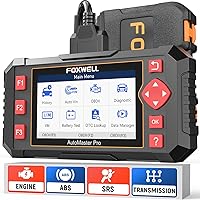
| TOPDON TopScan Pro Bluetooth | planned repair projects | iOS and Android | System scans, service functions and component commands | Lifetime core diagnostics; advanced access requires renewal after year 1 | 7.5 |
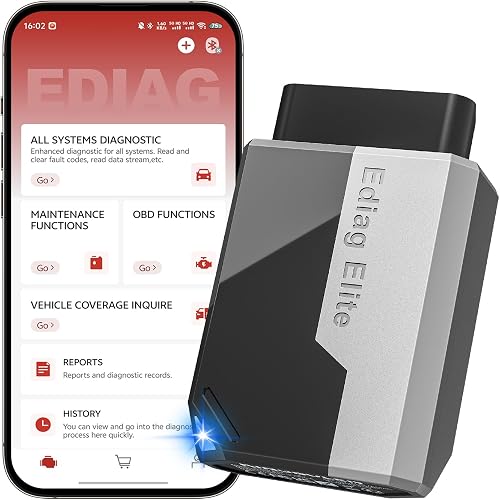
| Ediag Elite Bluetooth Scanner | recurring maintenance work | Android and iOS; confirm current app requirements | System scans, service resets and component commands | Lifetime updates and no scanner subscription fee | 7.4 |
| Thinkdiag2 Bidirectional Scanner | connected garage diagnostics | iOS and Android phones | System scans, maintenance and diagnostic reports | 1 year included; annual renewal available afterward | 7.3 |
Bluetooth OBD2 scanner picks for different repair needs
Choose the MX+ for app flexibility, BlueDriver for guided diagnosis or a specialist tool for a defined job. Each pick below includes a reason to buy it and a reason to choose something else.
OBDLink MX+ Bluetooth Scanner: Best for multi-app DIY owners
- Works with iPhone, Android and Windows
- Supports several third-party apps
- Enhanced OEM support for selected makes
- Over-voltage and battery drain protection
Choose the MX+ when you want one adapter for different devices and compatible apps. Match each planned function to both the app and your exact vehicle.
Pros
- Supports phones and Windows computers
- Works with several named third-party apps
- Includes firmware updates
Cons
- Advanced functions depend on the vehicle and app
- Third-party app access is separate from adapter compatibility
OBDLink MX+: best Bluetooth OBD2 scanner for app flexibility
The MX+ fits DIY owners who want to keep their software options open as their skills or vehicles change. It supports iPhone, Android and Windows and is recommended for FORScan, Torque, BimmerCode, DashCommand, AlfaOBD and Carista.
That flexibility matters when one app provides the dashboard you prefer and another covers a vehicle-specific task. Adapter compatibility does not include every app license or establish that all functions work on your car.
Its enhanced OEM support includes selected vehicles from Ford, GM, Mazda, Nissan/Infiniti, Toyota/Lexus/Scion, Honda, Hyundai and Kia. Confirm the relevant app's module and function coverage rather than relying on the brand name alone.
The included OBDLink app can graph, log and export real-time engine data. Saving a recording helps you compare a fault event with normal operation or share the information during a repair discussion.
Buy the MX+ if you value that room to grow. Skip it if you want repair explanations in one app and have no interest in choosing additional software.
BlueDriver Bluetooth OBD2 Scanner: Best for first-time code diagnosis
- iOS and Android app
- Enhanced diagnostics on supported vehicles
- VIN-matched repair reports
- No subscription fees
BlueDriver combines supported enhanced diagnostics with repair reports in one phone app. It suits drivers who want help understanding a fault before deciding what to inspect.
Pros
- Enhanced code coverage on supported vehicles
- Includes live data and repair reports
- No subscription fees or required account
Cons
- Enhanced system coverage depends on the vehicle
- Repair reports do not confirm the cause of an individual fault
BlueDriver: for understanding a warning light
BlueDriver suits drivers who want help turning a fault code into a sensible inspection plan. It combines VIN-matched repair reports with enhanced diagnostics for supported ABS, SRS, TPMS and transmission systems.
The reports include definitions, causes and technician-verified fixes. Use them to choose what to inspect next, since a repair that solved another vehicle's fault may not address yours.
Live data, freeze frames, emissions readiness and Mode 6 results add context beyond the code itself. Freeze-frame information is especially useful because it captures operating conditions associated with a recorded fault.
BlueDriver covers 1996 and newer North American gasoline vehicles and select light-duty trucks and diesels. Its iOS and Android app includes its features without subscriptions, add-ons or a required account.
Choose it for a family vehicle when your priority is understanding warning lights before booking repairs. Skip it if your buying requirement is a specific component command or coding task; confirm a tool that explicitly covers that operation.
Our BlueDriver Bluetooth scanner review explains its role in a DIY diagnostic routine.
OBDLink CX Bimmercode Adapter: Best for BMW customization projects
- Designed for BimmerCode
- iOS and Android pairing
- OBDLink app included
- BimmerCode sold separately
The CX fits owners who have already chosen a supported BimmerCode task. Its included OBDLink app also handles live parameters and check-engine diagnostics.
Pros
- Recommended by the BimmerCode team
- Supports in-app pairing
- Includes sleep mode and overvoltage protection
Cons
- BimmerCode is sold separately
- Vehicle-specific diagnostics require an in-app purchase
OBDLink CX: for a supported BimmerCode project
The CX is the focused choice when you already know which BimmerCode feature you want on a supported BMW or Mini. It is designed for that app and recommended by the BimmerCode team.
BimmerCode is sold separately, so include the app in your buying plan. Check the exact model and available options before ordering, since an adapter cannot add a setting that the app and vehicle do not support.
The CX uses Bluetooth Low Energy and pairs within the app on iOS and Android. Its included OBDLink app also provides live parameters and check-engine diagnostics, with vehicle-specific diagnostics requiring an in-app purchase.
Coding changes supported vehicle settings; it is a different task from reading a fault code. Follow the app's power and connection instructions, save any available backup and change one setting at a time.
Buy the CX for that defined coding purpose. Skip it as a default choice for a mixed driveway when broader app selection or repair reports matter more.
OBDLink LX Bluetooth Adapter: Best for Android data logging
- Android and Windows support
- OBDLink app and OBDwiz included
- Compatible with Torque and DashCommand
- No iOS support
The LX fits compatible gasoline vehicle owners who want to record and graph engine data on Android or Windows. It excludes iOS devices, hybrids and electric vehicles.
Pros
- Includes Android and Windows software
- Can graph, log and export engine data
- Supports custom Android dashboards
Cons
- No iOS support
- Not compatible with hybrid or electric vehicles
OBDLink LX: for recording engine data on Android
The LX suits owners who want a repeatable way to record engine behavior on a compatible vehicle. It includes the OBDLink Android app and OBDwiz for Windows, with support for apps such as Torque and DashCommand.
You can graph, log and export real-time engine data, or create a custom dashboard on Android. A saved log gives you something more useful than trying to remember a gauge reading after an intermittent stumble.
Keep the dashboard focused on values related to the symptom. Too many gauges make it harder to notice a change, and a number without its operating conditions can be misleading.
The firm exclusions are iOS, hybrids and electric vehicles. Do not choose the LX for a household device or vehicle change that would immediately put it outside those limits.
Buy it when Android or Windows covers your needs and logging is your main goal. Skip it if a future iPhone switch or hybrid purchase is already part of your plans.
TOPDON TopScan Pro Bluetooth: Best for planned repair projects
- Bidirectional component commands
- Full-system diagnostics
- 13+ service functions
- 1 year of advanced access included
TopScan Pro suits an owner with a defined repair project that needs supported service functions or component commands. Include future advanced access and any gateway fees in your decision.
Pros
- Commands supported components
- Includes full-system diagnostics
- Core diagnostics remain available for life
Cons
- Advanced access requires renewal after the included year
- Gateway access can require separate yearly fees
TOPDON TopScan Pro: for repairs needing component commands
TopScan Pro suits a defined repair project that calls for full-system diagnostics, service functions or bidirectional commands. Supported operations can command components such as cooling fans, windows and A/C clutches.
Its 13+ service functions include oil reset, EPB, BMS, SAS, DPF, injector coding and throttle relearn. Match the exact procedure to your vehicle before buying, since a function name is not a promise of coverage for every model.
The key buying detail is what remains available after year 1. TOPDON includes advanced access for that year, covering bidirectional control, service functions, live data and code clearing.
Core diagnostics remain available for life, including code reading and I/M readiness. Reading a fault and clearing it have different access terms, so occasional use does not automatically remove the need for renewal.
Use TopGuru Pro on iOS or TopScan on Android. FCA and Nissan gateway access can involve separate yearly fees.
Choose it when you have a supported job and accept the ongoing access terms. Skip it if you expect permanent access to every advanced feature without renewal.
Ediag Elite Bluetooth Scanner: Best for recurring maintenance work
- Full-system diagnostics
- 15+ reset services
- Bidirectional component commands
- Lifetime updates without a fee
Ediag Elite suits repeat maintenance work when its reset functions cover your vehicle. KINGBOLEN provides lifetime updates without a fee, while FCA access requires your own account.
Pros
- Includes 15+ reset services
- Supports bidirectional commands
- No scanner subscription fee
Cons
- Coverage varies by vehicle and function
- Confirm phone requirements before buying
- FCA access requires your own account
Ediag Elite: for maintenance without scanner renewal fees
Ediag Elite fits owners who expect to perform supported maintenance work repeatedly and want to avoid a scanner subscription. KINGBOLEN includes lifetime updates without a fee, along with full-system diagnostics and bidirectional commands.
Its 15+ reset services include oil reset, ABS bleeding, injector coding, steering-angle reset and battery management reset. These functions help only when your specific vehicle supports the procedure and the mechanical work is completed correctly.
The tool can display recorded data for later review, including combined 4-in-1 charts. Comparing related values on one timeline can help you see whether a change occurs before, during or after a symptom.
It also supports CAN-FD and FCA AutoAuth, though FCA access requires your own account. A scanner's included software terms and a vehicle gateway account are separate matters.
KINGBOLEN describes Android and iOS compatibility, but confirm the current app requirements for your phone. Choose it after vehicle-specific confirmation; skip it if you cannot guarantee support for the reset or command that justifies the purchase.
Thinkdiag2 Bidirectional Scanner: Best for connected garage diagnostics
- Full-system diagnostics
- Bidirectional component commands
- 15+ maintenance functions
- 1 year of updates included
Thinkdiag2 suits a garage with reliable network access and compatible 12V vehicles. It combines diagnostic reports, recorded data and supported maintenance functions.
Pros
- Offers Auto VIN and vehicle health reports
- Can record data and share reports
- Includes component commands and maintenance functions
Cons
- Requires a network connection for diagnosis
- Vehicle and feature coverage vary
- FCA access requires separate paid registration
Thinkdiag2: for a garage with reliable connectivity
Thinkdiag2 suits a connected garage where you want system scans, recorded data and reports alongside maintenance functions. It offers Auto VIN, shareable vehicle health reports and diagnostic history.
The scanner supports compatible 12V gasoline and diesel vehicles and provides 15+ maintenance functions. Its bidirectional commands can operate supported components such as windows, doors, the sunroof and A/C clutch.
A report helps document the starting condition and the results after a repair. Check that the automatically identified vehicle details are correct before entering a system or service menu.
Thinkdiag2 requires a network connection for diagnosis and is intended for iOS and Android phones, with phone use recommended over tablets. That makes connectivity part of your setup, rather than an optional convenience.
One year of updates is included, with annual renewal available afterward; FCA AutoAuth needs separate paid registration. Confirm continued access terms before relying on a feature for future work.
Choose it for supported jobs where connectivity is dependable. Skip it if your main use will be roadside diagnosis in places with poor service.
What should you check before buying a Bluetooth scanner?
Check the phone, vehicle, function and software terms before comparing extra features. This order prevents you from buying an advanced adapter that cannot complete your one essential job.
Which Bluetooth OBD2 scanner works with your phone?
Choose an adapter supported by the exact app and device you intend to use. An iPhone-compatible scanner is not automatically compatible with every iPhone diagnostic app.
Check the app store requirements for your operating system version, available storage and any account or download needs. If you use an older spare phone in the garage, do this before ordering.
A computer option can be useful for reviewing logs at a desk. For scans away from home, think about phone battery life, screen visibility and whether you can keep the device secure while working.
Will it support your exact vehicle and module?
Confirm coverage using the year, make, model, engine and intended function. Add the VIN when the brand's compatibility process asks for it.
Standard OBD2 access mainly addresses engine and emissions information. ABS, airbags, body modules and service procedures depend on manufacturer-specific access, so a broad vehicle count is less useful than confirmation of your actual task.
Hybrids may provide ordinary engine information without giving you access to every hybrid system. An EV's diagnostic port likewise does not guarantee support for its battery or drive systems.
Our guide to whether OBD2 scanners work on all cars explains the difference between basic compatibility and deeper coverage.
Do you need code reading, coding or component commands?
Buy a code-reading tool to gather fault information, a coding adapter for a supported settings change or a bidirectional tool for supported component commands. These are different jobs, even when one app offers more than one.
Live data shows what the vehicle reports. A component command asks a module to operate something, which can help separate a control problem from a mechanical or electrical fault.
Service resets are another category: they may record completed maintenance, start a relearn or put a system into a service state. A reset does not perform the physical repair.
Read what a bidirectional scan tool does before paying for commands you may not need. For a wider shortlist, compare the best bidirectional scan tools against the procedure you plan to perform.
What access will you keep later?
Separate included software, future updates, advanced access and gateway fees when comparing ownership costs. They answer different questions.
An update adds or changes software coverage, while an access plan can determine whether an existing function remains usable. Do not assume an expired update period means either that everything stops or that everything continues.
Write down the functions you need next year, not just today. A tool for a one-time repair and a tool for recurring maintenance can justify different software arrangements.
How do you set up a Bluetooth OBD2 scanner correctly?
Install the correct app first, connect the adapter securely and follow its pairing instructions while parked. Finish the initial setup before you need a scan urgently.
- Prepare the phone. Download the required app and any vehicle software, charge the phone and allow the permissions the app needs to connect.
- Locate the diagnostic port. It is commonly below the dashboard, but use the vehicle manual if you cannot find it.
- Connect without forcing the plug. Check its orientation and ensure the adapter does not interfere with pedals or your legs.
- Set the ignition as instructed. Many scans use ignition on with the engine off; live engine readings may require the engine running.
- Pair by the correct method. Some adapters connect inside the app, while others use the phone's Bluetooth settings.
- Confirm the vehicle details. Check an automatic identification result rather than accepting it without reading.
- Save the first scan. Record codes, their status and any freeze-frame information before changing anything.
If the app cannot connect, check ignition state, Bluetooth permissions and whether another app is using the adapter. Close competing diagnostic apps before repeating the connection process.
Use a supported outdoor location when the engine must run, and keep the vehicle secured against movement. Our OBD2 scanner setup guide walks through the basic scan process.
How do you turn a fault code into a useful repair plan?
Use a code to choose the next check, rather than treating it as a parts order. The same reported condition can have more than one cause.
Save the exact code and note whether it is pending, confirmed or permanent if the app shows that information. Record the symptoms, engine temperature and circumstances, such as a cold start or steady highway driving.
Freeze-frame information can help recreate those conditions. Live data becomes more useful when you compare related values and know what should happen under the same conditions.
For example, a misfire code identifies a combustion problem, but it does not by itself prove that a spark plug or ignition coil has failed. Wiring, fuel delivery or a mechanical problem may require further checks.
Start with the relevant service procedure and simple visual checks before replacing parts. Keep a short record of each change so you can tell what actually affected the fault.
Which scanner mistakes cause the most trouble?
The biggest mistakes are erasing evidence, assuming coverage and using service functions without a procedure. Avoiding those errors matters more than filling a phone screen with extra gauges.
- Clearing codes before saving them. You may lose fault context and reset emissions readiness monitors.
- Buying for a brand name alone. Coverage can differ between model years, engines and modules from the same automaker.
- Treating a repair report as a diagnosis. Suggested fixes help you plan checks; they do not guarantee the cause on your vehicle.
- Running a reset instead of completing maintenance. Resetting a service reminder does not change the oil or repair the underlying system.
- Assuming a clean scan means a healthy used car. Mechanical faults can exist without stored codes, and recently cleared monitors need attention.
- Watching live gauges while driving. Set up recording before moving and review the results once parked.
For bidirectional work, read the procedure before issuing any command. Fans, windows and other parts can move, so keep hands, tools and bystanders clear.
Airbag and braking systems need their specific service precautions. Code access is useful information, but it does not make every repair suitable for DIY work.
How should you store and care for the adapter?
Keep the connector clean, remove the adapter carefully and decide deliberately whether it should stay connected. A low-profile design or sleep feature does not remove the need to check fit and vehicle instructions.
Pull on the adapter body rather than twisting or straining the diagnostic socket. Store it dry, away from loose metal objects that could damage its contacts.
The MX+ includes battery drain protection, and the CX and LX have sleep features. For a vehicle parked for long periods, consider battery condition and the brand's guidance before leaving any accessory connected.
Install firmware and app updates while you have time to confirm normal operation. Avoid interrupting an update or a vehicle programming process, and follow any power-support instructions for the job.
Read whether you can leave an OBD2 scanner plugged in if continuous monitoring is part of your plan.
Which Bluetooth OBD2 scanner should you choose?
Choose the best Bluetooth OBD2 scanner by the hardest task you genuinely plan to complete, then confirm that task for your vehicle. Extra functions have little value if the required module or procedure is missing.
Pick OBDLink MX+ for flexible app choices, BlueDriver for guided fault information or OBDLink CX for a confirmed BimmerCode project. Choose OBDLink LX when Android or Windows logging meets your needs and its vehicle exclusions do not affect you.
For component commands and service work, choose TopScan Pro if its advanced access terms fit your plans, Ediag Elite for supported recurring work without scanner renewal fees or Thinkdiag2 for a connected garage workflow.
Before ordering, write down one exact function you need and verify it with the scanner brand or app provider. If you are still deciding between a phone adapter and another tool type, use our OBD2 scanner guide to narrow the choice.
Our top 3 picks at a glance
-
1
-
2
Best for first-time code diagnosis
BlueDriver Bluetooth OBD2 Scanner
9.1/10 our score
See it on Amazon -
3
Frequently asked questions
What is the best Bluetooth OBD2 scanner for most drivers?
The OBDLink MX+ is the best Bluetooth OBD2 scanner for drivers who want flexible app and device support. BlueDriver is the simpler choice for enhanced codes and repair reports in one phone app.
Choose by your vehicle's supported functions before comparing extra features you may never use.
Do Bluetooth OBD2 scanners work with iPhones?
Yes, compatible Bluetooth OBD2 scanners work with iPhones, but Bluetooth alone does not guarantee compatibility. The MX+, BlueDriver, CX, TopScan Pro and Thinkdiag2 support iOS, while the LX does not.
Check the required app, its current phone requirements and your vehicle coverage before buying an adapter.
Can a Bluetooth OBD2 scanner read ABS or airbag codes?
Yes, some Bluetooth scanners read ABS and airbag codes on supported vehicles. Those functions require enhanced system coverage beyond basic engine and emissions diagnostics.
Confirm the exact year, model and system before buying, and remember that reading a code does not tell you which component needs repair.
Do Bluetooth OBD2 scanners need a subscription?
Some require a subscription for advanced functions, while others include ongoing access. BlueDriver has no subscription fees, and KINGBOLEN offers Ediag Elite without a scanner subscription fee.
TOPDON separates lifetime core diagnostics from renewable advanced access.
Thinkdiag2 includes one year of updates, with annual renewal available afterward.
Should you clear a check-engine code right away?
Save the codes and freeze-frame information before clearing anything. Clearing can remove useful fault context and reset emissions readiness monitors, making diagnosis or an upcoming inspection harder.
Repair the cause first, then follow the vehicle's procedure to confirm the repair and check whether the fault returns.