Innova 5610 Bidirectional Scan Tool Review: Worth It? (November 2026)
The Innova 5610 suits DIYers who need enhanced live data and specific bidirectional controls in a wired handheld tool. Buy it when Innova’s Coverage Checker confirms the exact functions your vehicle and planned repairs require.
On this page (12 sections)
- What does the Innova 5610 offer?
- Which systems and data can you access?
- How should you check vehicle coverage?
- How does the Innova 5610 compare with alternatives?
- When is the TOPDON AD800BT 2 a better fit?
- When does the TOPDON AD900 Lite make more sense?
- When should you choose the Autel MaxiCheck MX808S?
- Does the Innova 5610 need paid updates or a subscription?
- How should you set up and use the 5610?
- Which mistakes waste the most time?
- How should you care for the scanner and cable?
- Should you buy the Innova 5610?
The Innova 5610 suits DIY car owners who need enhanced live data and specific bidirectional controls in a wired handheld scanner. Buy it for confirmed repair tasks, such as a supported component command or relearn, rather than assuming it can perform every operation on your car.
It makes the most sense when you're moving beyond engine-code checks and want to investigate faults before replacing parts. Choose a wireless alternative if you need to carry the screen around the vehicle, or a larger tablet if reading several values is your priority.
What does the Innova 5610 offer?
The Innova 5610 combines enhanced diagnostics, component commands and special reset functions in a compact tool. Its value comes from matching those functions to repairs you can carry out.
Innova 5610 Bidirectional Scan Tool: Best for focused DIY repairs

- Bidirectional controls
- Enhanced data stream
- Special reset functions
- 3.5-inch screen
- Free updates
A wired handheld scanner for DIYers who need more than engine codes and have specific repairs in mind. Confirm support for each required command or relearn before buying.
Pros
- Supported component commands help narrow faults
- Enhanced live data across major systems
- Special reset and relearn functions
- Free updates and no subscription fees
Cons
- Advanced functions depend on the vehicle
- Cable limits movement around the car
- Small display for comparing several readings
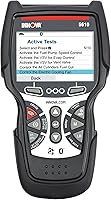
The handheld unit has a 3.5-inch screen and draws power from the vehicle. It includes an OBD2 cable, protective boot, manual, USB cable and soft storage pouch, with English, Spanish and French language support.
That setup suits an owner who wants a dedicated scanner to connect for a job and put away afterward. The cable also sets a practical limit: consider where the diagnostic port sits and where you'll need to view the screen during a repair.
Skip this level of tool if you only want to identify a check-engine code before booking a garage visit. Our code reader vs scan tool guide explains which extra capabilities justify moving beyond a basic reader.
What makes Innova 5610 bidirectional?
Bidirectional control lets the scanner command a supported component, then lets you observe its response. The 5610 offers functions such as fuel pump on/off control and electronic parking brake retraction on compatible vehicles.
A command can help separate possible causes of a fault. If a component doesn't respond, the next step may involve checking its power supply, wiring or control circuit, rather than immediately ordering a replacement.
An active test is also different from a service procedure. Moving a component once does not necessarily complete the sequence needed to service, reset or relearn that system.
Read our guide to what a bidirectional scan tool does if you're deciding which of those capabilities your repair needs.
Which systems and data can you access?
The 5610 provides enhanced live data for the engine, transmission, ABS and SRS where supported. This makes it useful for owners who need information beyond a general engine-code check.
Live data is most useful when you have a question to answer. For example, you might watch how a reading changes as the engine warms up, rather than scrolling through every available value without a plan.
Compare readings under the conditions specified in the vehicle's service information. A value that looks unusual with a cold engine may be expected, while the same value at operating temperature could need further investigation.
The special reset functions support selected relearn procedures. These matter when a repair requires the vehicle to learn a new position or setting, but reading a system's data does not mean its relearn is available.
How should you check vehicle coverage?
Check the exact vehicle, system and operation before buying. Innova describes support for most 1996–2023 OBD2 vehicles, but that range does not promise every function or establish support for later model years.
Start with Innova's Coverage Checker and write down the work you expect to do. “Brake work” is too broad; electronic parking brake service and ABS bleeding are different requirements.
Use this checklist to make the comparison useful:
- Confirm the year, make, model and any engine details requested.
- Identify the module you need to access.
- Name the required command, reset or relearn.
- Ask support about anything the coverage result leaves unclear.
- Repeat the check for each household vehicle you plan to maintain.
If the operation you need isn't confirmed, don't buy on the strength of a general compatibility statement. A tool can communicate with a car's engine while lacking the manufacturer-specific function your repair requires.
Our guide to whether OBD2 scanners work on all cars explains that distinction. For more choices after checking your requirements, compare the best bidirectional scan tools.
How does the Innova 5610 compare with alternatives?
Choose between these tools by supported jobs, connection style and screen needs. A longer function list only helps when it includes operations you can use on your vehicles.
| Tool | Strongest buyer fit | Main decision point |
|---|---|---|
| Innova 5610 Bidirectional Scan Tool | DIY owner with defined repair tasks | Required commands and relearns are confirmed |
| TOPDON AD800BT 2 Bidirectional Scanner | Owner moving around the garage | Wireless access and relevant maintenance menus |
| TOPDON AD900 Lite Bidirectional Scanner | Reader who wants more display space | Larger screen and the right service coverage |
| Autel MaxiCheck MX808S | Buyer handling varied repair jobs | Specific component commands and service procedures |
Build a short list of likely jobs before comparing tools. An oil reset, parking brake procedure and a cooling fan command may matter more to you than hundreds of functions for vehicles you won't work on.
For the closest comparison with the main pick, read Innova 5610 vs Autel MaxiCheck MX808S.
When is the TOPDON AD800BT 2 a better fit?
Choose the AD800BT 2 when moving the screen around the car would make your work easier. Its included Bluetooth VCI has a stated range of up to 33 feet, so the screen doesn't need to remain beside the diagnostic port.
That arrangement suits someone who wants to view information near the engine bay or another work area. Wireless connection doesn't remove the need to park safely or follow the required conditions for each operation.
TOPDON includes lifetime free updates and full-system diagnostics. AutoVIN isn't universal, so be prepared to identify the vehicle manually if automatic recognition fails.
Skip it if you're choosing solely because its service count is larger. Match the available menus to your cars first, and consider whether managing a battery-powered device adds value to your usual workflow.
When does the TOPDON AD900 Lite make more sense?
The AD900 Lite suits buyers who prioritize more room to read menus and live data. Its tablet format is a clearer reason to choose it than assuming a larger device performs every service.
It supports full-system diagnostics and 8 reset services. Its DTC repair guide covers certain Chrysler, Dodge, Jeep and Fiat vehicles from 2010–2014, so don't make that guide your deciding factor for an unrelated vehicle.
Skip this model if TPMS sensor activation is a required job: the AD900 Lite cannot perform that function. Access to a tire-pressure system and the ability to activate its sensors are separate capabilities.
Choose it when display space improves the way you work and its supported procedures cover your needs. If you'll only retrieve a code occasionally, the tablet format offers less practical benefit.
When should you choose the Autel MaxiCheck MX808S?
Consider the MX808S when several different repair procedures are on your shortlist. Autel advertises 3,000-plus active tests and 28-plus service functions, alongside full-system diagnostics.
Examples include cooling fan commands, ABS bleeding, oil reset and injector calibration, depending on the vehicle. It also offers live-data views including text, graphs, columns, meters and waveforms.
Those display choices suit someone who regularly studies changing readings. They matter less if your main need is one confirmed reset on one vehicle.
Skip the MX808S if the reason for choosing it is the advertised function total alone. Ask about your exact operations, and establish update terms before buying if ongoing software costs affect your decision.
Does the Innova 5610 need paid updates or a subscription?
Innova includes free updates and no subscription fees with the 5610. It also pairs with the RepairSolutions2 app, and Innova provides US-based, ASE-certified technical support.
That makes it a sensible candidate for occasional DIY use, where the tool might sit between repairs. You can base the decision on supported jobs without budgeting for a recurring scanner subscription.
Free updates don't guarantee that a particular vehicle or function will be added later. Choose for the capability you can confirm now.
If software costs are a major concern, our guide to OBD2 scanners without a subscription explains what to compare across brands.
How should you set up and use the 5610?
Start with the manual, correct vehicle selection and a saved record of the fault. Follow the connection sequence and ignition state specified for the tool and the job.
Prepare before connecting
Park securely, apply the parking brake and locate the diagnostic port. Inspect the connector and cable, then insert the plug without forcing it.
Check that the vehicle battery is in suitable condition for the procedure. Long sessions with the ignition on can drain a weak battery, so follow the service instructions for any required power support.
Confirm that the selected vehicle details are correct before entering enhanced diagnostic menus. A similar model name is not enough when engine or model-year differences affect procedures.
Record information before clearing anything
Write down the codes, warning lights and symptoms before erasing faults. Note when the problem occurs, such as during a cold start, after warming up or under a particular load.
Clearing codes can remove useful clues and reset emissions readiness monitors. It also doesn't repair the cause, so avoid clearing a warning simply to see whether it returns.
Our OBD2 scanner use guide explains how to organize a first scan and interpret the results.
Run only the procedure your repair requires
Read the prerequisites before sending a command. Keep hands, tools and clothing away from fans, belts and other components that may move.
Use engine-related procedures in a well-ventilated area, and follow the vehicle's safety instructions for brake or SRS work. Stop if a menu asks for conditions you cannot meet or a step you don't understand.
After the repair, follow the prescribed verification steps. A cleared code is one piece of evidence; the original symptom and relevant readings also need checking.
Which mistakes waste the most time?
The biggest mistake is treating a trouble code as a parts order. A code identifies a detected condition or circuit problem, which may have several causes.
Buying a sensor without checking its connector, wiring or related conditions can leave the original fault unresolved. Use the service procedure to decide what evidence you need next.
Another mistake is confusing a reset with a repair. Resetting a maintenance reminder belongs after the maintenance, and a relearn cannot make a damaged component serviceable.
Avoid changing several things at once when diagnosing a fault. Recording each step makes it easier to see which action changed the symptoms or readings.
Finally, don't experiment with unfamiliar commands to explore the menus. Identify the function's purpose and safety requirements before activating it.
How should you care for the scanner and cable?
Protect the connector, cable and screen between jobs. Disconnect by holding the plug rather than pulling the cable, and avoid trapping the lead in a door or routing it across hot parts.
Wipe the unit with a soft cloth and follow the manual's cleaning instructions. Keep liquids away from the connector and avoid placing the tool on oily or wet work surfaces.
Store the scanner in its pouch with the cable loosely arranged. Before the next job, inspect it and allow time for any needed updates instead of starting software work halfway through a repair.
Should you buy the Innova 5610?
Choose the Innova 5610 for confirmed DIY repair tasks when you prefer a wired handheld and its supported data, commands and relearns match your needs. Skip it if your essential operation is unconfirmed or you only need basic engine-code checks.
Choose the AD800BT 2 for movement around the car, the AD900 Lite for screen space, or the MX808S when its vehicle-specific procedures better match varied repair work. For a broader shortlist, compare the best OBD2 scanners for DIY car owners.
Before ordering, write down your vehicle and the 3 jobs you expect the scanner to handle. Buy the tool that confirms those jobs.
Frequently asked questions
Is the Innova 5610 a bidirectional scan tool?
Yes, the Innova 5610 sends commands to supported vehicle components, rather than only reading information; examples include fuel pump control and electronic parking brake retraction. Check support for the exact operation on your vehicle, then follow its service procedure before using a command that moves or activates a component.
Does the Innova 5610 work on all cars?
No, the Innova 5610 does not provide every function on every car; Innova describes support for most 1996–2023 OBD2 vehicles, but basic compatibility is separate from access to particular modules, commands and relearns. Use its Coverage Checker for your exact vehicle and ask support about any unclear repair requirement.
Does the Innova 5610 require a subscription?
No, Innova includes free updates and no subscription fees with the 5610; it also pairs with the RepairSolutions2 app. That makes ongoing software costs simpler to plan, but it does not guarantee coverage for a particular repair, so confirm the vehicle and required functions before choosing the tool.
Can the Innova 5610 tell me which part to replace?
The Innova 5610 can help narrow a fault, but a code does not identify a failed part by itself; wiring problems, poor connections and other faults can produce similar symptoms. Use codes, live data and supported commands alongside the vehicle’s diagnostic procedure before deciding that a component needs replacement.