6 Best OBD2 Scanners Without a Subscription (November 2026)
The best OBD2 scanners with no subscription fees include the BlueDriver Bluetooth OBD2 Scanner for everyday DIY owners, the TOPDON AD800BT V2.0 Bidirectional Scanner for advanced driveway repairs, and the LAUNCH CRP123I V3.0 Elite for routine maintenance jobs.
On this page (9 sections)
- Which is the best OBD2 scanner without subscription fees?
- What does “no subscription” actually include?
- How do you confirm coverage before ordering?
- Should you choose a phone adapter or a handheld scanner?
- How should you set up and use your scanner?
- Which mistakes waste the most time?
- How do you keep a scanner ready for the next job?
- Which no-subscription OBD2 scanner should you buy?
- Where should you confirm compatibility?
The BlueDriver Bluetooth OBD2 Scanner is the best OBD2 scanner without subscription fees for most DIY owners who want warning-light diagnosis and repair guidance through a phone. Choose a more advanced tool when your repair requires a specific service procedure or the ability to command components.
The right purchase starts with your car and your next job. Reading an engine code, opening an airbag module and placing an electronic parking brake in service mode are different tasks.
This guide separates included diagnostics from update promises, optional functions and gateway requirements. That distinction helps you avoid buying a tool that stays current for free but cannot do the work you need.
Start with our guide to choosing an OBD2 scanner if the feature names are unfamiliar. For broader comparisons, see our best OBD2 scanners for DIY car owners and full-system scanner guide.
Our picks at a glance
-
1

-
2
 Best for advanced driveway repairs
TOPDON AD800BT V2.0 Bidirectional Scanner
8.3/10 our score
See it on Amazon -
3
- 4
 Best for tracking intermittent faultsCheck it
- 5
 Check it
MUCAR 892BT Bidirectional Scanner
Best for screen-first troubleshooting - 6
 Best for mobile repair workCheck it
Which is the best OBD2 scanner without subscription fees?
BlueDriver is the best starting point for everyday diagnosis, while TOPDON suits owners doing more advanced repairs. The LAUNCH models cover a narrower set of systems, and MUCAR and Ediag offer other ways to get supported full-system access and component commands.
We compared included features, update terms, diagnostic scope and buyer fit. The product order favors a clear ownership arrangement for this search, rather than simply rewarding the longest feature menu.
Before choosing, write down the job you expect the scanner to perform. “Read the ABS module on my car” is useful; “handle anything someday” makes it harder to choose well.
| Product | Best for | Format | Diagnostic scope | Update terms | Our score |
|---|---|---|---|---|---|
| BlueDriver Bluetooth OBD2 Scanner | everyday DIY owners | Phone or tablet app | OBD2 plus supported enhanced systems | Free app updates; no feature add-ons | 9.1 |
| TOPDON AD800BT V2.0 Bidirectional Scanner | advanced driveway repairs | 6 in handheld touchscreen with wireless VCI | Full-system scans and active commands | Lifetime free software upgrades | 8.3 |
| LAUNCH CRP123I V3.0 Elite | routine maintenance jobs | 5 in handheld touchscreen with diagnostic cable | Engine, transmission, ABS and SRS | Lifetime free software updates | 7.8 |
| LAUNCH CRP123X V3.0 Elite | tracking intermittent faults | 5 in handheld touchscreen with diagnostic cable | Engine, transmission, ABS and SRS | Existing features updated free; new functions cost extra | 7.7 |
| MUCAR 892BT Bidirectional Scanner | screen-first troubleshooting | 8 in handheld display with Bluetooth connection | Full-system scans and active commands | Free lifetime updates; FCA membership separate | 7.6 |
| Ediag Elite Bluetooth Scanner | mobile repair work | Bluetooth adapter with iOS or Android app | Full-system scans and active commands | No subscription fee; lifetime updates included | 7.4 |
Best OBD2 scanner without a subscription for everyday diagnosis
Choose BlueDriver for understanding warning lights and planning your next step, especially if you prefer using a phone. Our best Bluetooth OBD2 scanners guide compares other phone-connected formats.
BlueDriver Bluetooth OBD2 Scanner: Best for everyday DIY owners
- No subscription or account required
- Enhanced diagnostics on supported vehicles
- VIN-matched repair reports
- iOS and Android app
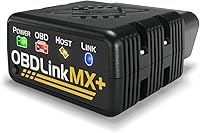
Choose BlueDriver for warning-light diagnosis and repair guidance through your phone. All features are included, with enhanced system access depending on your vehicle.
Pros
- No recurring fees, add-ons or account required
- Repair reports matched to VIN
- Enhanced ABS, SRS, TPMS and transmission access on supported vehicles
Cons
- Needs a compatible phone or tablet
- Enhanced coverage varies by vehicle
- Not the choice here for commanding components
BlueDriver connects through an iOS or Android app and includes all features without subscriptions, add-ons or an account. Its technician-verified repair reports match your VIN and provide code definitions, possible causes and confirmed fixes.
That repair context is useful when a code names a system rather than a failed part. Use it to plan checks or discuss the problem with a repair shop, rather than ordering the first component mentioned.
Live data, freeze frames, emissions readiness and Mode 6 results give you more to work with than a code alone. Enhanced access includes ABS, SRS, TPMS and transmission on supported vehicles.
Coverage includes 1996 and newer North American gasoline vehicles and select light diesels. Confirm enhanced support separately, particularly if an airbag or transmission warning is your main reason for buying.
Skip BlueDriver if your planned repair requires commanding an actuator or a service procedure you have not confirmed. A repair report helps explain a fault, but it does not replace those functions.
TOPDON for advanced repairs with a dedicated screen
Choose TOPDON when your work calls for supported component commands and broader module access. It is a stronger fit for an owner following repair procedures than someone who only wants to identify an occasional engine warning.
TOPDON AD800BT V2.0 Bidirectional Scanner: Best for advanced driveway repairs
- Bidirectional controls
- Full-system diagnostics
- 28+ service functions
- Lifetime free software upgrades
TOPDON suits owners who need a separate screen, broader module access and component commands. Confirm the required service procedure and vehicle coverage before buying.
Pros
- Full-system diagnosis with bidirectional control
- Service functions for supported maintenance jobs
- Wi-Fi software updates
Cons
- Exact functions vary by vehicle
- AutoVIN may require manual entry
- Gateway access terms need a separate check
The AD800BT V2.0 combines a 6-inch touchscreen with a wireless vehicle interface. Its full-system scans can help you find related faults across modules instead of stopping at the engine computer.
Bidirectional control lets you command supported components and observe their response. For example, a repair procedure may call for activating a component to separate a control problem from a mechanical one.
The scanner includes 28+ service functions, with examples such as electronic parking brake service, battery matching, ABS bleeding and DPF regeneration. Each one still needs a vehicle-specific compatibility check.
TOPDON offers lifetime free software upgrades over Wi-Fi. Its support for FCA AutoAuth should prompt a separate check of gateway account and access terms before you buy for protected work.
AutoVIN can identify supported vehicles, with manual VIN entry available when needed. Skip this model if you will not use its service functions or component commands and prefer a smaller phone adapter.
LAUNCH CRP123I for planned maintenance jobs
Choose the CRP123I when engine, transmission, ABS and SRS coverage match your needs. Its maintenance functions make sense for owners who already know which jobs they want to handle.
LAUNCH CRP123I V3.0 Elite: Best for routine maintenance jobs
- Engine, transmission, ABS and SRS diagnostics
- Seven reset functions
- Recorded live-data graphs
- Lifetime free updates
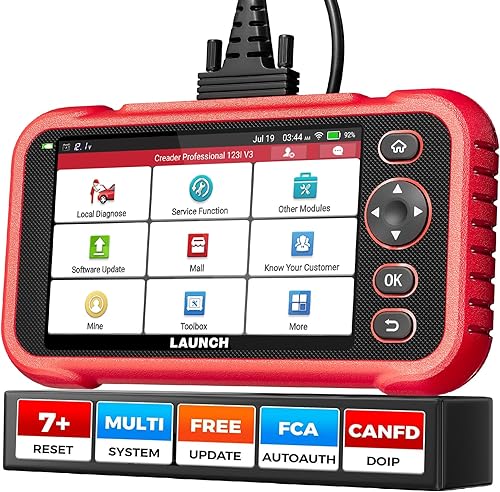
The CRP123I combines four-system diagnosis with maintenance resets and saved data graphs. It fits owners whose planned jobs fall within those systems.
Pros
- Dedicated screen without using your phone
- Seven maintenance reset functions
- Vehicle health reports shared over Wi-Fi
Cons
- Does not provide full-system coverage
- CAN FD and DoIP functions need extra adapters
- Reset support depends on the vehicle
This model has a 5-inch touchscreen, a diagnostic cable and lifetime free software updates. It supports 10 OBD2 modes and can combine four live-data streams in one graph.
Its seven reset functions are oil reset, steering-angle reset, ABS bleeding, battery management reset, electronic parking brake reset, DPF regeneration and throttle adaptation. Confirm the required procedure for your exact vehicle rather than assuming the menu applies to every car.
Recorded data and vehicle health reports help you keep a before-and-after record. Sharing a report over Wi-Fi also gives a repair shop more detail than a description of the warning light.
CAN FD and DoIP functions require extra adapters, so include those requirements when comparing tools for a newer vehicle. Protocol support and module coverage are separate checks.
Skip the CRP123I if you need access beyond its four diagnostic systems or a specific actuator command. A maintenance reset menu does not make it equivalent to a full-system bidirectional tool.
LAUNCH CRP123X for following intermittent problems
Choose the CRP123X if saved graphs and reports fit your diagnostic routine. Its included functions receive free upgrades, but added functions can cost extra.
LAUNCH CRP123X V3.0 Elite: Best for tracking intermittent faults
- Four-system diagnostics
- Seven included reset services
- Live-data recording and playback
- Free upgrades for existing features
The CRP123X suits owners who want to save and compare live data while keeping a dedicated screen. Its included functions receive free upgrades, but added functions can cost extra.
Pros
- Four-stream graphs with recording and playback
- Saved diagnostic reports
- Seven reset services included
Cons
- Additional functions can cost extra
- Four-system coverage is mainly for vehicles from 2006 onward
- Reset menus vary by vehicle
The CRP123X covers engine, transmission, ABS and SRS, with text data, four-stream graphs and recording for later playback. Its 5-inch screen keeps the work separate from your phone.
Recording helps when a fault comes and goes. Save a short session under known conditions, then compare it with another session instead of relying on memory.
Seven reset services are included, with available menus depending on the vehicle. LAUNCH identifies four-system coverage as mainly for vehicles from 2006 onward, so general support for an older OBD2 car does not guarantee access to all four modules.
The built-in store offers additional functions, which need their own compatibility check before payment. Free upgrades apply to existing features rather than every future addition.
Choose between this and the CRP123I by confirmed coverage for your car, not their similar names. Skip the CRP123X if your main goal is avoiding any optional feature purchases and your required function is outside the included set.
MUCAR for buyers who prioritize screen space
Choose MUCAR if a larger display matters during full-system diagnosis and supported component commands. Its FCA membership requirement makes it less suitable for buyers who need protected FCA access with no recurring expense.
MUCAR 892BT Bidirectional Scanner: Best for screen-first troubleshooting
- 8 in display
- Full-system bidirectional diagnostics
- 35+ service functions
- Free lifetime updates
MUCAR suits buyers who want more screen space for diagnostic work and supported component commands. Its free update promise does not include the paid membership required for FCA gateway access.
Pros
- Largest handheld display among these picks
- Full-system diagnosis and bidirectional control
- Broad service-function menu
Cons
- FCA access requires an account and paid membership
- Functions vary by vehicle
- AI guidance still needs independent judgment
The 892BT has an 8-inch display, the largest dedicated screen among these picks. It connects wirelessly and supports CAN FD and DoIP communication.
Full-system diagnostics and bidirectional control suit work that involves more than reading an engine warning. The 35+ service functions include tasks such as battery management, steering-angle and brake resets, subject to vehicle coverage.
MUCAR also includes AI-assisted troubleshooting. Use those suggestions as leads to check against fault records, wiring information and the vehicle's repair procedure, rather than as proof that a component needs replacement.
Free lifetime updates are included. FCA gateway access on supported 2018 and newer vehicles requires an account and paid membership, which sits outside that update promise.
Skip it if your jobs are simple enough for a phone reader or if protected FCA functions are essential to a strict no-recurring-fee plan. Extra screen space is useful only when the tool also supports your required work.
Ediag Elite for repairs using your phone
Choose Ediag Elite when you want supported full-system diagnosis and component commands in a compact phone-connected format. It suits buyers who prefer carrying an adapter instead of a separate scanner.
Ediag Elite Bluetooth Scanner: Best for mobile repair work
- Phone-based full-system diagnosis
- Bidirectional controls
- 15+ reset services
- Lifetime updates without a fee
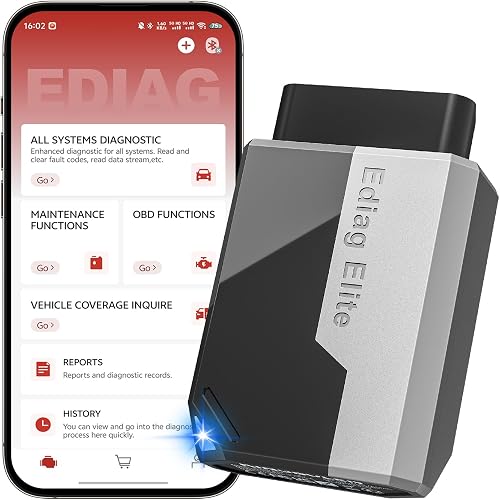
Ediag Elite puts supported full-system diagnosis, service resets and component commands on your phone. Confirm coverage and FCA account requirements for your planned work.
Pros
- Compact phone-connected format
- Active commands and maintenance resets
- Live-data recording and playback
Cons
- Requires a compatible phone
- FCA access requires your own account
- Exact module and service coverage varies
Ediag Elite works with iOS and Android and includes active commands, 15+ reset services, freeze frames and live data. Data can be recorded and displayed in several formats, including combined four-stream charts.
Its appeal is the combination of mobile size and repair functions. You can use the phone you already carry while retaining access to supported modules beyond basic engine diagnostics.
KINGBOLEN includes lifetime updates without a fee and states that no subscription is required. FCA gateway access still requires your own account, so confirm its access terms for the work you plan.
The reset menu includes functions such as battery management, injector coding and electronic parking brake service. Ask about the exact procedure on your vehicle before treating any menu name as a buying reason.
Skip Ediag if you want a dedicated screen or prefer BlueDriver's VIN-matched repair reports. Choose between the two phone tools by the repair task, rather than assuming every app-connected adapter does the same work.
What does “no subscription” actually include?
No subscription should mean your required features remain available without recurring payment. Free updates, optional purchases, extra hardware and gateway access are separate parts of that decision.
Separate ongoing access from software updates
Ask whether included functions remain usable without a renewal. Then ask whether coverage updates are free, since keeping an existing function and receiving new vehicle support are different benefits.
BlueDriver has the clearest all-included terms here. For the other models, the lifetime update promise needs to be read alongside the included feature set and any access requirements.
Check optional functions and hardware
A one-time optional feature purchase is not a subscription, but it still changes what you must buy. The CRP123X is the clearest example here because its store offers functions beyond the included set.
Adapters are another separate requirement. Do not assume a supported communication protocol means all necessary hardware comes in the box.
Check protected gateway access
A secure gateway can limit protected commands even when the scanner supports the vehicle. Confirm what account, authorization or membership your exact job requires.
MUCAR explicitly requires a paid FCA membership for that access. TOPDON, both LAUNCH models and Ediag also mention gateway support, so verify access terms before relying on them for protected procedures.
For related ownership questions, read whether Autel scanners require a subscription and whether Topdon requires a subscription.
How do you confirm coverage before ordering?
Check your exact vehicle and required function together. A broad brand list or “1996 onward” claim does not confirm access to every module and maintenance procedure.
Give the brand your year, make, model, engine and vehicle market. Have the VIN ready when it is needed to identify the vehicle accurately.
Then name the task in plain terms: read airbag faults, register a replacement battery, perform the specified brake service procedure or command a particular actuator. Request confirmation for each task you consider essential.
A useful shortlist has three levels:
- Basic OBD2: engine and emissions-related information, such as codes and readiness.
- Enhanced or full-system diagnosis: access to supported modules beyond the basic engine functions.
- Service functions and bidirectional control: resets, adaptations or commands used during particular repair procedures.
Full-system coverage does not mean every module ever fitted to every supported car. It also does not automatically include programming, key work or every possible service function.
If these distinctions are driving your choice, our code reader versus scan tool guide explains where basic reading ends and repair functions begin.
Should you choose a phone adapter or a handheld scanner?
Choose a phone adapter for compact storage and occasional checks; choose a handheld when you want a separate screen for regular repair work. Neither format guarantees deeper vehicle coverage.
A phone adapter is easy to carry between vehicles. You do need a compatible phone, a charged battery and the correct app when a warning appears.
Consider how comfortable you are handling that phone with dirty gloves. A secure resting place also matters, since holding it while reaching under the dashboard makes a simple scan awkward.
A handheld keeps diagnostic work separate from calls and other phone use. Rechargeable models need charging and updates before a job, just as a phone does.
Wireless connections let you move around the vehicle, while a diagnostic cable gives you a physical connection to manage. Keep either format clear of pedals, seat tracks and moving parts.
How should you set up and use your scanner?
Save the vehicle's original fault information before clearing anything or running a service procedure. A careful first scan gives you a useful record even if a repair shop handles the work.
Prepare the vehicle and tool
Park securely, apply the parking brake and locate the diagnostic port. Follow the scanner instructions for connection and ignition position, since different functions may require different engine states.
Charge the handheld or phone and install the correct software before starting. If you are working where internet access is poor, complete available updates beforehand.
Seat the connector gently without forcing it. If it does not fit cleanly, check its orientation and inspect the port rather than pushing harder.
Identify the vehicle and save a baseline
Confirm the vehicle details even when automatic identification succeeds. If identification fails, enter the details manually instead of choosing a similar model.
Record the codes, their status and any freeze-frame information. Note the symptoms, engine temperature and conditions under which the warning appeared.
Read related modules when supported. Several faults appearing together may share a power, wiring or communication cause rather than representing several failed parts.
Inspect before clearing
Use codes to guide checks, not as a parts shopping list. A code describing a sensor signal can have causes outside the sensor itself.
After the repair, follow the required clearing, relearn or readiness procedure. Our guide to using an OBD2 scanner walks through the basic workflow.
Which mistakes waste the most time?
Clearing evidence too early and assuming a code names the failed part are the biggest avoidable mistakes. Buying the wrong diagnostic depth is another common source of wasted effort.
Clearing codes before saving them
Erasing faults can remove details that help explain an intermittent problem. It can also reset emissions readiness, so avoid clearing codes just to make the dashboard look normal.
Save the report first and record what changed after the repair. A returning code is useful information, not a reason to keep erasing it.
Graphing too much information
Start with a few signals linked to the symptom. A crowded screen makes it harder to see how values relate to one another.
Keep operating conditions consistent when comparing recordings. Data from a cold idle and a warm drive should not be treated as directly equivalent.
Running unfamiliar service commands
A reset is not a repair, and an actuator command can move a component. Read the procedure and its conditions before selecting a function because its name sounds relevant.
Do not use a scanner to experiment with braking or airbag procedures you do not understand. Those jobs need the correct repair instructions and equipment.
Treating a quiet dashboard as proof
A fault may need particular driving conditions before it returns. Review the repair outcome, relevant data and required checks rather than relying only on the warning light.
For diagnosis that requires driving, use a passenger or review recorded data afterward. Keep your attention on the road.
How do you keep a scanner ready for the next job?
Store it clean, protect its connector and check its software before you need it. Care is simple, but a damaged cable or flat battery can stop a planned repair.
Unplug by holding the connector body rather than pulling the cable. Inspect cables and plugs for damage, and keep them away from hot exhaust parts, fluids and closing doors.
Keep the tool in a dry place away from extreme heat. Wipe the outside with a soft cloth and follow its care instructions for screens and cleaning products.
Keep saved reports labeled by vehicle, date and symptom so they remain useful later. Check compatibility again when you replace the car, since strong support for one vehicle does not guarantee support for the next.
Which no-subscription OBD2 scanner should you buy?
Choose the best OBD2 scanner without a subscription by the job you need to finish. Start with required vehicle functions, then compare ownership terms and screen format.
Pick BlueDriver for everyday warning-light diagnosis, repair reports and clear all-included access. Pick TOPDON for supported full-system repairs and component commands on a dedicated screen.
Choose the CRP123I when its four systems and maintenance functions cover your planned jobs. Consider the CRP123X when recording and playback fit your workflow, after checking any optional feature costs.
Pick MUCAR for more screen space, provided its coverage and gateway requirements suit you. Choose Ediag Elite for supported active commands through a compact phone adapter.
Before moving into broader module work, use our guide to full-system OBD2 scanners to compare diagnostic scope with the tasks on your repair list.
Where should you confirm compatibility?
Confirm essential functions with the scanner brand before buying. Ask about the exact vehicle and procedure, including any adapter or protected-access requirement.
BlueDriver provides a vehicle compatibility guide, and TOPDON provides product support.
Our top 3 picks at a glance
-
1
-
2
Best for advanced driveway repairs
TOPDON AD800BT V2.0 Bidirectional Scanner
8.3/10 our score
See it on Amazon -
3
Frequently asked questions
Do OBD2 scanners need a subscription?
No. Some scanners include their diagnostic features without recurring fees, while others charge for updates or added functions.
BlueDriver includes all features without a subscription or account.
For other models, separate the update promise from optional purchases, adapters and protected gateway access before deciding what ownership will involve.
Which OBD2 scanner has no subscription?
BlueDriver is the clearest choice here for included features without subscriptions, add-ons or an account. The other models offer free lifetime software updates, but their terms differ.
Choose by the systems and procedures your vehicle needs, then check whether any gateway access or extra function carries a separate requirement.
Are free lifetime updates the same as no subscription?
No. Free lifetime updates describe software updates, not necessarily every function or third-party service.
LAUNCH CRP123X updates existing features free but charges for new functions.
MUCAR includes lifetime updates while requiring an account and paid membership for FCA gateway access.
Check both parts before buying.
Will a no-subscription scanner work on every car?
No. Basic OBD2 compatibility does not guarantee access to every module or maintenance procedure.
Match the scanner to your vehicle's year, make, model, engine and market, then confirm each required function.
A tool may read engine codes on a car without supporting its airbag module or parking-brake service.
Can a scanner clear ABS or airbag codes?
Yes, if the scanner supports that vehicle and module. Save the original codes and repair the cause before clearing them, since an active fault may return immediately.
A cleared warning does not mean the brakes or airbags work correctly, so follow the vehicle's repair procedure.
Can I clear a code just before an emissions inspection?
Clearing codes can reset emissions readiness monitors, leaving the vehicle unready for inspection. Repair the cause first, then follow the vehicle's required driving conditions and check readiness again.
A dark check-engine light alone does not mean the monitors have completed or that the vehicle will pass.