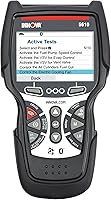
Innova 5610 vs Autel MaxiCheck MX808S: Which Is Better? (November 2026)
In this Innova 5610 vs Autel comparison, choose the Innova for free updates without subscription fees or the MX808S for its broader advertised diagnostic and service menu. Buy the tool that confirms support for your vehicle and planned repairs.
On this page (11 sections)
- Innova 5610 vs Autel MX808S: what is the main difference?
- Which scanner suits your repair routine?
- How do you confirm coverage before buying?
- When is Autel's broader service menu worth choosing?
- How useful are bidirectional controls for diagnosis?
- Which screen and power setup fits your garage?
- What should you check about updates and subscriptions?
- How should you set up either scanner for the first job?
- Which mistakes should you avoid after buying?
- How do you care for the scanner and its cables?
- Innova 5610 vs Autel: which should you choose?
In this Innova 5610 vs Autel comparison, choose the Innova for occasional DIY repairs with included updates or the MX808S for broader diagnostic and service needs. Exact vehicle coverage should decide the purchase before screen size or menu length.
Both scanners go beyond basic engine-code reading by sending commands to supported vehicle components. That capability helps you investigate a fault, but it doesn't replace a repair procedure or prove which part needs replacement.
The useful question is which tool can handle your next few jobs on the vehicles you maintain. Start with those jobs, then compare the features you'll actually use.


Innova 5610 vs Autel MX808S: what is the main difference?
The main difference is Innova's clear update terms versus Autel's broader advertised service menu. Either can make sense for a DIY owner once the required vehicle functions are confirmed.
The 5610 provides OBD2 and OEM live data, including enhanced data for engine, transmission, ABS and SRS. It also supports select reset and relearn procedures, with free updates and no subscription fees.
The MX808S offers full-system diagnostics on supported vehicles, including access to available TPMS and battery systems. Autel advertises more than 3,000 active commands and more than 28 service functions across its coverage.
Those totals span supported vehicles, rather than describing what you'll find on any single car. A smaller confirmed menu can be more useful than a larger menu that lacks your required procedure.
Our full-system scanner guide explains why access beyond engine codes matters. Keep that distinction separate from active controls and maintenance resets, since each solves a different problem.
Innova 5610 vs Autel: reading, commanding and resetting
Choose based on the type of job, because reading data, commanding a component and completing a reset are separate capabilities. Support for one doesn't guarantee support for the others.
Reading data helps you see what a vehicle module reports. An active command asks a supported component to operate, while a service procedure may reset a maintenance value or guide a relearn after repair.
For example, access to parking brake fault codes doesn't mean a scanner can retract that vehicle's electronic parking brake. Confirm the named procedure rather than accepting a broad claim of brake-system coverage.
For more background, read what a bidirectional scan tool does. Understanding these categories makes coverage questions much more precise.
Which scanner suits your repair routine?
The Innova suits a known vehicle and a focused repair list, while the Autel suits varied jobs across several vehicles. Neither is an automatic match for every home garage.
Choose the 5610 if you maintain 1 or 2 familiar vehicles and can confirm the functions you need. Its included updates are useful when the scanner may sit between repairs and you want to avoid renewal decisions.
Innova also provides US-based, ASE-certified technical support. That gives you a support route for coverage or operation questions, although you should still have the vehicle's service instructions for the repair itself.
Skip the Innova if your buying decision depends on a module or procedure you can't confirm. Its coverage of several major systems doesn't guarantee access to every module fitted to your car.
Choose the MX808S if you regularly move between different vehicles or handle varied maintenance work. Its broader menu is relevant when you can name several supported jobs that you'll perform.
Skip the Autel if you only want to understand an occasional check-engine light and won't use its service functions. A larger tool menu adds little value when your tasks are limited to basic code reading.
If your needs are still unclear, compare these tools with our OBD2 scanners for DIY car owners. Set the required capability before choosing a brand.
How do you confirm coverage before buying?
Confirm your exact vehicle and each required function, using the VIN where possible. General OBD2 compatibility isn't enough for ABS access, active commands or model-specific service procedures.
Write down the make, model, year, engine and sales market for every vehicle you maintain. Add the VIN so support can distinguish versions that share the same model name.
Next, make a short task list. “Read ABS fault codes,” “retract the electronic parking brake” and “perform a battery replacement reset” are useful requests because each names a specific action.
Use Innova's coverage checker for the 5610. Innova specifies support for most 1996–2023 OBD2 vehicles, so confirm later model years directly instead of assuming coverage from the current calendar year.
For the MX808S, ask Autel to confirm those same tasks by vehicle. Autel advertises broad US, Asian and European coverage, but individual systems and service functions remain vehicle dependent.
Autel also supports FCA AutoAuth access for compatible vehicles. If your vehicle uses a security gateway, ask what account, authorization and separate requirements apply to the exact function you need.
Keep a copy of the coverage response and check the return terms before ordering. If neither brand can confirm a job, don't buy either tool on the hope that a menu item will appear later.
When is Autel's broader service menu worth choosing?
Autel's broader menu is worth choosing when several confirmed functions match repairs you already perform. A feature count alone isn't a reason to move up.
Named MX808S services include oil reset, ABS brake bleeding, electronic parking brake reset, battery management reset and steering angle calibration. Autel also names DPF functions, injector calibration and adaptations for windows, seats and headlights.
These functions address different situations, so build your comparison around maintenance plans. A brake job may call for a particular parking brake procedure, while a battery replacement may require a vehicle-specific reset.
The Innova's select reset and relearn procedures may cover your planned work without the need for the Autel's broader menu. Check the actual procedure rather than assuming every maintenance task requires the larger scanner.
A service function also doesn't replace the physical repair. Resetting an oil reminder doesn't change the oil, and a brake procedure still requires the correct mechanical work and service instructions.
If a repair involves a system you don't understand, scanner access isn't enough preparation. Use the tool to gather information, then decide whether that job belongs in your garage.
How useful are bidirectional controls for diagnosis?
Bidirectional controls are useful when commanding a component helps narrow down a fault. They give you another piece of evidence alongside fault codes, wiring checks and live data.
Innova names fuel pump on/off control and electronic parking brake retraction on compatible vehicles. Autel names fuel pump activation, cooling fan commands and injector commands among its examples.
Suppose a supported cooling fan command produces no movement. That result narrows the investigation, but the cause could still involve wiring, power supply, a control issue or the fan itself.
Likewise, a pump that runs on command isn't proof that its pressure or flow meets the vehicle's requirements. The next check should come from the service procedure, rather than a guess based on noise.
Keep hands, tools and clothing clear of components that may move. Read the scanner prompts before starting any command, especially around fans, brakes and engine components.
Which screen and power setup fits your garage?
The Autel offers more display space, while the Innova draws operating power from the vehicle. Choose the layout that fits how you read data and work around the car.
The 5610 has a 3.5-inch screen and supports English, Spanish and French. It pairs with the RepairSolutions2 app and includes an OBD2 cable, protective boot, USB cable and storage pouch.
The MX808S has a 6.99-inch display and runs Android 11 with 4 GB of RAM and 64 GB of storage. It's battery powered and includes a power adapter, cables and carrying case.
Autel provides graph, text, column, meter and waveform views for live data. A graph can help you spot changes over time, while a text view is useful when you need a precise value.
For either tool, select a few relevant data items instead of filling the screen with unrelated values. Engine temperature, operating conditions and the exact symptom matter more than the number of readings visible at once.
Our Innova 5610 review takes a closer look at that model. The Autel vs TOPDON matchup is useful if you're comparing another route to broader scan-tool functions.
What should you check about updates and subscriptions?
Innova's included updates make its ongoing terms clearer; confirm the MX808S terms for the exact package before buying. Don't assume all Autel models or packages share one policy.
Ask how long updates are included, what renewal covers and which existing functions remain available if you don't renew. Also ask whether any vehicle authorization service has separate requirements.
Updates matter most when you add newer vehicles or need newly supported functions. They don't remove the need to confirm coverage, and they shouldn't be treated as a promise that an unsupported procedure will arrive.
Our guide on whether Autel scanners require a subscription explains the policy questions. For renewal planning, see how much Autel updates cost.
How should you set up either scanner for the first job?
Start with vehicle identification and saved fault information, then move to the repair task. A first session should establish what the vehicle reports before you change anything.
- Prepare the vehicle. Park securely, follow the manual's ignition instructions and keep the work area ventilated if the engine must run.
- Connect carefully. Inspect the cable and diagnostic port, then seat the connector without forcing it or pulling on the wire.
- Confirm vehicle identity. Check the make, model, year and engine shown on the scanner before accepting a diagnostic session.
- Record the starting condition. Note fault codes, relevant live values and the conditions under which the symptom appears.
- Read the procedure. Check all prerequisites before beginning a reset, relearn or active command.
Autel's Auto VIN feature isn't universal. If automatic identification fails, enter the vehicle information manually and verify it rather than choosing the closest-looking option.
Use a stable vehicle power supply as required by the repair instructions, especially for longer procedures. A scanner's internal battery doesn't prevent the vehicle battery from discharging while the ignition remains on.
For the basic connection and scan sequence, follow our guide to using an OBD2 scanner. Save more involved service functions for a session with the correct instructions ready.
Which mistakes should you avoid after buying?
Avoid clearing evidence, guessing at parts and running unfamiliar procedures. These mistakes can make diagnosis harder even when the scanner supports the vehicle correctly.
Don't clear codes as the first response to a warning light. Record them and any available fault-context information first, because clearing memory can remove clues needed to trace an intermittent problem.
Don't treat a code description as a shopping list. A sensor-related code can point to a circuit or operating condition, so inspect the cause before replacing the named part.
Clearing codes can also reset emissions readiness information. A warning light staying off immediately afterward doesn't mean the vehicle is ready for an inspection.
Don't run resets simply because they appear in the menu. Some procedures require completed repairs, specific temperatures or other conditions, and the vehicle instructions should determine when they're appropriate.
After repair, repeat the relevant checks under the required conditions. Confirm that the original symptom is resolved rather than relying only on an empty code screen.
How do you care for the scanner and its cables?
Protect the connector, cable and screen, since routine handling puts these parts at risk. Store the tool only after disconnecting it as directed.
Keep cables away from belts, fans, pedals, hot exhaust parts and sharp edges during use. Route the lead so it won't be trapped by a door or pulled when you move around the vehicle.
Wipe the case with a soft cloth and follow the manual for cleaning. Keep moisture and solvents away from ports, then store the Innova in its pouch or the Autel in its case.
Before the next repair, check the cable for damage and prepare any required software or account access. Finding a damaged connector or unfinished setup during a brake procedure creates an avoidable delay.
Innova 5610 vs Autel: which should you choose?
Choose the Innova 5610 for confirmed repairs on familiar vehicles with no subscription fees. Choose the Autel MX808S when several supported diagnostic and service jobs justify its broader menu and larger screen.
For this Innova 5610 vs Autel decision, use a simple final check: vehicle, function and ongoing terms. If one tool confirms all 3 and the other leaves a needed procedure uncertain, choose the confirmed fit.
Skip both if you only need basic code reading, or if neither supports the job driving your purchase. For access beyond engine codes, use our guide to full-system scanners to define the systems you need before ordering.
Frequently asked questions
Is the Innova 5610 better than the Autel MX808S?
The Innova 5610 is the better fit for a DIY owner whose vehicle supports the needed functions and who wants included updates; choose the Autel MX808S for broader diagnostic and maintenance needs across several vehicles, provided those exact jobs are supported. Neither scanner wins without checking vehicle coverage first.
Do both scanners support bidirectional commands?
Yes, both scanners can send commands to supported vehicle components; Innova names fuel pump control and electronic parking brake retraction, while Autel also names cooling fan and injector commands. These examples describe tool capabilities, so confirm the exact command for your vehicle before planning a repair around it.
Does the Innova 5610 require a subscription?
No, Innova includes free updates without subscription fees for the 5610; confirm the Autel MX808S update period and renewal terms separately, including what remains usable after any included period ends. Our guide to Autel scanner subscriptions explains the questions to ask before choosing a tool.
Which scanner has more service functions?
The Autel MX808S has the broader advertised service menu, with Autel claiming more than 28 functions; Innova supports select special reset and relearn procedures. Count only the services confirmed for your vehicle, because a long overall menu doesn't mean every function works on every make, model or year.