Which OBD2 Scanner Should I Buy?
To decide which OBD2 scanner you should buy, match your vehicle and repair plans: BlueDriver for phone-based code guidance, Innova 5210 for a separate display, or a TOPDON tool for supported active tests. Confirm coverage for each function you need before buying.
On this page (9 sections)
- Which OBD2 scanner should I buy for my needs?
- What should an OBD2 scanner tell you?
- Which features are worth paying for?
- Which OBD2 scanners fit common buyer needs?
- How do you confirm scanner compatibility before buying?
- How should you set up and use your new scanner?
- Which common mistakes should you avoid?
- Sources for emissions rules and vehicle coverage
- Which OBD2 scanner should you buy now?
To decide which OBD2 scanner you should buy, match the tool to your vehicle and the jobs you'll actually do. Choose BlueDriver for phone-based repair guidance, Innova 5210 for a cable-connected display, or one of the TOPDON tools for supported active tests.
Start with the warning light or maintenance task in front of you. Buying extra functions makes sense when you can name how you'll use them.
For a wider shortlist, see our best OBD2 scanners for DIY car owners. The choice below comes down to coverage, working style and continued access to the features you need.
Which OBD2 scanner should I buy for my needs?
Buy the simplest scanner that covers your exact vehicle, systems and tasks. Use this table to choose a tool category before comparing individual models.
| Your main need | Scanner type to consider | What to confirm |
|---|---|---|
| Understand a check engine warning | Engine code reader | Engine-code access and useful fault details |
| Get repair guidance on your phone | App-based scanner | Phone compatibility and repair information |
| Investigate ABS or airbag warnings | Enhanced or full-system scanner | Access to the affected module |
| Check whether a component responds | Bidirectional scanner | The specific active test |
| Complete supported maintenance work | Tool with service functions | The exact reset or procedure |
| Check emissions readiness | Reader with I/M readiness | Monitor status for your vehicle |
A first-time owner who wants information before visiting a shop has different needs from someone replacing parts and completing service procedures. Decide which role describes you before paying for a larger menu.
If you only want a fault code to share with a mechanic, a simpler reader can be enough. If you plan to diagnose the cause yourself, readable live data and saved fault details become more useful.
Our code reader vs scan tool guide explains how those capabilities differ. A tool's name matters less than the functions it supports on your car.
Which OBD2 scanner should I buy for multiple cars?
For a household with several vehicles, choose a scanner that covers the jobs you need on each car. Strong support for one family vehicle does not guarantee the same support for another.
Make a short list with each car's year, model, engine and likely service needs. Check those combinations separately, especially if the household includes a diesel, hybrid or vehicle from another market.
Don't assume an OBD2 connector provides access to an electric vehicle's battery or other proprietary systems. Those jobs need explicit coverage beyond general engine-emissions diagnostics.
What should an OBD2 scanner tell you?
A useful scanner should help you understand a fault and choose the next check. Reading a code starts that process, but the code alone rarely identifies a part you should replace.
For example, a lean-condition code can lead you toward an air leak, fuel-delivery issue or incorrect sensor reading. Buying a sensor just because its name appears in a code description can waste money.
Live data shows current readings, such as coolant temperature or fuel trims. It helps most when you know what conditions to compare and have vehicle-specific reference information.
Freeze-frame information records operating conditions associated with a fault. Save it before clearing codes so you can see whether the problem appeared during a cold start, at idle or under load.
Emissions readiness answers a different question: have the vehicle's relevant self-checks completed? A car can have no current warning light while some readiness monitors remain incomplete.
For ABS, SRS, TPMS or transmission concerns, you need access to those modules. Basic engine-code support does not mean access.
Bidirectional control goes further by sending commands to supported components. Read what a bidirectional scan tool is if your planned work involves checking a component's response.
Which features are worth paying for?
Pay for features tied to work you'll perform, rather than the highest function count. A service menu is useful only when it covers your vehicle and you understand the procedure.
For an occasional warning light, prioritize clear code information, saved reports and straightforward operation. Those features help you gather useful details without learning a large set of maintenance menus.
For regular DIY repairs, live-data graphs can make changing readings easier to follow. Confirm that the tool exposes the particular data you need, since a general live-data claim does not promise every parameter.
For brake or battery work, identify the required service procedure before buying. Reading an electronic parking brake fault is different from placing that system into a service mode.
Likewise, reading a tire-pressure fault is different from performing every possible sensor service. Match the named function to the job instead of treating all TPMS support as equivalent.
A bidirectional tool makes sense when you can name a useful command, such as operating a supported fan. It adds less value if you only intend to read engine codes once or twice a year.
Phone app or separate display?
Choose a phone app if you're comfortable using your phone as the diagnostic screen. Choose a handheld tool if you want a separate display available beside the car.
App-based tools require a compatible phone, the correct app and enough battery for the session. Check current operating-system requirements before ordering, especially if you use an older device.
A separate display keeps your phone available for repair instructions or calls. Also consider connection style: the Innova uses an attached cable, while the AD800BT 2 uses a wireless vehicle connector.
Software updates or feature subscriptions?
Compare continued feature access, not just whether an app is free to download. Software updates, diagnostic subscriptions and vehicle security accounts serve different purposes.
An update can change vehicle coverage or software behavior. A feature subscription can determine whether you can still clear codes, view live data or run service functions after an included period.
Security-gateway access can involve a separate account even when the scanner supports communication with that vehicle. Confirm those requirements before buying for a specific repair.
Which OBD2 scanners fit common buyer needs?
BlueDriver suits phone-based fault guidance, the AD800BT 2 suits more involved repair work, TopScan Lite offers app-based active tests, and the Innova 5210 suits basic handheld use. Choose by the work you expect to repeat, then verify vehicle coverage.
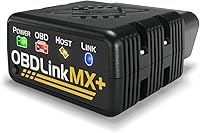
BlueDriver Bluetooth OBD2 Scanner
BlueDriver is the strongest fit here for an owner who wants to understand warning lights through a phone app. It combines supported enhanced-system access with VIN-matched repair reports that include definitions, possible causes and confirmed fixes.
It works with iOS and Android, with no subscription, add-ons or account required. Free app updates are included, which suits an owner who wants to keep the tool available between occasional faults.
Its diagnostic features include live data, freeze frames, emissions readiness and Mode 6 results. Enhanced coverage includes ABS, SRS, TPMS and transmission on supported vehicles.
BlueDriver supports 1996 and newer North American gasoline vehicles and select light diesels. Check its compatibility information for the exact vehicle and module you need.
Buy it if you want explanations alongside fault information and are happy using your phone. Skip it if a separate screen or a particular actuator command is your main requirement.
A repair report gives you a direction to investigate, not proof that your vehicle needs the same repair. Compare the suggested causes with the symptoms and readings from your own car.
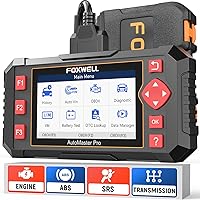
TOPDON AD800BT 2 Bidirectional Scanner
The AD800BT 2 suits a committed DIY owner who needs a separate screen and plans to carry out supported service procedures. Its full-system diagnostics and bidirectional controls provide more scope than occasional engine-code reading requires.
The included Bluetooth vehicle connector lets the display communicate wirelessly with the car. TOPDON provides free lifetime software updates for this model.
Its 28 service functions include procedures such as oil reset, electronic parking brake service, ABS bleeding and battery-related service. Available menus and commands depend on the vehicle.
AutoVIN can identify supported vehicles, with manual entry available when automatic identification does not work. Always confirm the detected vehicle details before continuing.
Buy it if you already perform repairs and can identify several supported procedures you'll use. Skip it if your main goal is getting a code before booking a shop visit.
More control also means more responsibility for following repair instructions. A command that operates a component is useful only when you understand what should happen and can perform it safely.
TOPDON TopScan Lite
TopScan Lite suits buyers who want active tests through a phone instead of a dedicated diagnostic display. Its full-system scanning and repair information offer a path from reading faults to more involved diagnosis.
The subscription split is the main buying decision. Core access continues for full-system scanning, code reading, performance checks and repair information.
Bidirectional control, service functions, live data, code clearing and AI features are included for the first year. Continuing those advanced features afterward requires a monthly, quarterly or annual subscription.
Supported service functions include oil, throttle, EPB, steering angle, DPF, ABS, BMS and airbag procedures. Vehicle security-gateway access requires your own account where applicable.
Buy it if you want phone-based active tests and accept the ongoing terms for the functions you'll use. Skip it if you expect occasional code clearing to remain available without a subscription.
Before choosing it for a single repair, confirm both the exact procedure and any gateway requirements. That prevents discovering a software-access requirement with the car already apart.
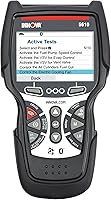
Innova 5210 Code Reader
The Innova 5210 suits an owner who wants an attached cable and a separate display for common diagnostic jobs. It reads and clears engine codes, with ABS access on supported vehicles.
It adds live data, oil reset, emissions readiness and battery or alternator checks. The RepairSolutions2 phone app provides repair guidance without a subscription.
This format suits someone who prefers connecting a reader and looking directly at its screen. The optional app guidance can help explain possible repair paths after you gather the fault information.
Buy it if your priorities are engine diagnostics, charging-system checks and supported basic maintenance. Skip it if you need broad access to other modules or specific bidirectional commands.
Use Innova's coverage checker for your exact vehicle before relying on ABS access or oil reset. Those features vary by make, model and year.
How do you confirm scanner compatibility before buying?
Confirm each needed function on your exact vehicle, rather than relying on a broad compatibility statement. Being able to connect and read engine codes does not prove access to every control module.
- Record the model year, make, model, engine and market where the car was sold.
- Find the brand's coverage checker or compatibility information.
- Check the affected module, such as ABS or SRS.
- Verify the exact reset, live-data item or active test needed.
- Review phone requirements, feature subscriptions and security accounts.
- Ask brand support about any function the coverage information leaves unclear.
If you contact support, give them the VIN and a specific task. Asking whether a tool can perform your car's electronic parking brake service produces a more useful answer than asking whether it “works.”
Save the coverage response for reference. It also helps you distinguish a connection problem from a function the tool does not support.
Our guide to whether OBD2 scanners work on all cars explains the broader limits. For brake and airbag warnings, use our OBD2 scanners with ABS and SRS guide to narrow the search.
How should you set up and use your new scanner?
Start with a parked vehicle, the correct connection procedure and a saved initial scan. Read the tool's instructions before connecting, since ignition and connection steps can differ.
Find the diagnostic port without pulling on nearby wiring or trim. Seat the connector squarely and firmly, and never force it if the shape or position seems wrong.
For a phone-based scanner, install the correct app and follow its connection instructions. Don't assume every adapter connects through the phone's general Bluetooth menu.
Confirm the vehicle profile, then read the faults before selecting any clear or reset command. Save the code numbers, descriptions, freeze frames and relevant symptoms.
Use ignition-on, engine-off operation when instructed, and run the engine only when the procedure calls for it. Keep the vehicle outdoors or in a properly ventilated work area if the engine must run.
Begin with passive code reading before trying service procedures or active commands. Consult vehicle-specific repair instructions for prerequisites, such as battery support or component positioning.
Never watch diagnostic readings while driving. Have a passenger manage the tool or review saved information after parking.
Our guide to using an OBD2 scanner walks through the basic workflow. Clear codes only when you have recorded the evidence and have a reason to erase them.
Which common mistakes should you avoid?
Avoid clearing information too early, replacing parts from code descriptions and assuming every reset is harmless. These mistakes can make diagnosis harder or create more work.
Clearing codes before an inspection does not make a car ready. It can reset readiness monitors, which then need the required driving conditions to complete again.
A flashing check engine light, severe rough running or an urgent brake warning needs prompt attention. Don't keep driving simply because a scanner can clear the displayed fault.
An active test should answer a specific question about a component's response. Don't run unfamiliar commands or service procedures just to explore the menus.
A maintenance reset belongs after the relevant maintenance. Resetting an oil reminder does not change the oil, and clearing an airbag code does not mean the restraint system is safe.
Keep the scanner dry, protect its pins and avoid pulling it out by the cable. Store a handheld tool where its cable will not be crushed, and remove a phone adapter before it can interfere with your legs.
Don't assume every adapter should remain connected indefinitely. Read whether you can leave an OBD2 scanner plugged in before making that part of your routine.
Sources for emissions rules and vehicle coverage
Use official guidance for inspection requirements and brand coverage tools for compatibility. A scanner's readiness display helps you check status, while inspection requirements depend on your location.
- U.S. Environmental Protection Agency: Vehicle Emissions Inspection and Maintenance
- BlueDriver compatibility information
Which OBD2 scanner should you buy now?
Decide which OBD2 scanner you should buy by naming your next diagnostic job and checking which tool supports it. For occasional warnings, prioritize readable fault information; for repair work, confirm the service procedure or active command before ordering.
- Choose BlueDriver for phone-based enhanced diagnostics and repair reports without a subscription.
- Choose TOPDON AD800BT 2 for a dedicated display, supported service work and lifetime software updates.
- Choose TOPDON TopScan Lite for phone-based active tests if its advanced-feature subscription fits your plans.
- Choose Innova 5210 for a cable-connected reader focused on engine diagnostics, battery checks and supported basic maintenance.
If 2 tools cover the same jobs, choose the format you'll use comfortably and compare continued software access. For more options in each category, see our best OBD2 scanners for DIY car owners.
Frequently asked questions
Which OBD2 scanner should I buy for a check engine light?
Buy a scanner that reads engine codes, saves useful fault information and supports your exact vehicle. A basic reader can provide the code, while a phone-based option with repair reports can help explain possible causes; choose live data and freeze-frame access if you plan to investigate further.
Do I need a bidirectional OBD2 scanner?
Buy a bidirectional scanner if you plan to command supported components, such as a cooling fan, while diagnosing a fault. Reading codes and viewing sensor data do not require bidirectional control, so confirm a specific active test will help with your planned repairs before paying for that capability.
Is a Bluetooth OBD2 scanner better than a handheld one?
Choose Bluetooth if you prefer viewing diagnostics through a compatible phone app, or a handheld tool if you want a separate display. Neither format guarantees broader vehicle coverage, so compare the systems, service functions and software terms you need before deciding which screen arrangement suits your work.
Will every OBD2 scanner work with my car?
No, an OBD2 connection does not guarantee access to every module or service function on your car. Check coverage for the exact year, make, model and engine, then verify ABS, SRS, resets or active tests separately rather than relying on a broad vehicle compatibility claim.