5 Best OBD2 Scanners for BMW (November 2026)
The best BMW OBD2 scanners include the OBDLink CX Bimmercode Adapter for BimmerCode coding, the Foxwell NT510 Elite for BMW for full-system BMW diagnostics, and the ANCEL BM700 PRO for BMW for guided battery registration.
On this page (9 sections)
- Which BMW OBD2 scanner is best for your needs?
- OBDLink CX Bimmercode Adapter: phone-based BMW coding
- Foxwell NT510 Elite for BMW: module scans and active tests
- ANCEL BM700 PRO for BMW: guided battery registration
- XTOOL IP500 for BMW: coding with component tests
- LAUNCH Creader Elite V3.0 for BMW: coding and service tasks
- How do you choose an OBD2 scanner for BMW?
- What should you check before buying a BMW scanner?
- Which OBD2 scanner for BMW should you choose?
The OBDLink CX Bimmercode Adapter is our top pick among the best OBD2 scanners for BMW if you want phone-based coding, while the Foxwell NT510 Elite for BMW suits full-system diagnostics and active tests. For battery registration and maintenance functions, compare the ANCEL BM700 PRO for BMW, XTOOL IP500 for BMW and LAUNCH Creader Elite V3.0 for BMW against your model and year.
A BMW scan tool can do more than read a check-engine code, but the right choice depends on the job. Start with whether you need an app adapter, module diagnostics, battery registration, service resets, coding or active tests.
If you need a broader introduction, see our guide to the best OBD2 scanners for DIY car owners. This roundup focuses on BMW-oriented features, and exact coverage varies across models.
Our picks at a glance
-
1

-
2

-
3

- 4
 Best for BMW coding and active testsCheck it
- 5
 Check it
LAUNCH Creader Elite V3.0 for BMW
Best for broader service functions
Which BMW OBD2 scanner is best for your needs?
The OBDLink CX Bimmercode Adapter suits BimmerCode use, while the Foxwell NT510 Elite for BMW adds a handheld screen, full-system scans and active tests. The other tools offer different mixes of battery registration, service functions and coding.
We compared the features with common BMW-owner tasks. Our score weighs specs and features against what you’re shopping for.
| Product | Best for | Connection | Phone support | Primary fit | Our score |
|---|---|---|---|---|---|
| OBDLink CX Bimmercode Adapter | BimmerCode coding | Bluetooth Low Energy | iOS and Android | BimmerCode and BMW diagnostics | 8.1 |
| Foxwell NT510 Elite for BMW | full-system BMW diagnostics | Corded | 7.9 | ||
| ANCEL BM700 PRO for BMW | guided battery registration | Wired | 7.6 | ||
| XTOOL IP500 for BMW | BMW coding and active tests | Wired tool with Wi-Fi updates | 7.0 | ||
| LAUNCH Creader Elite V3.0 for BMW | broader service functions | 6.9 |
OBDLink CX Bimmercode Adapter: phone-based BMW coding
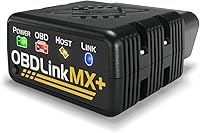
OBDLink CX Bimmercode Adapter: Best for BimmerCode coding
- Designed for BimmerCode
- Bluetooth Low Energy pairing for iOS and Android
- OBDLink app for live parameters and diagnostics
- Sleep mode and overvoltage protection
A compact adapter for phone-based BMW coding through BimmerCode, with OBDLink's app included for live parameters and diagnostics. BimmerCode is sold separately, and vehicle-specific diagnostics require an in-app purchase.
Pros
- Designed for BimmerCode
- Pairs in the app on iOS and Android
- OBDLink app includes diagnostics and live parameters
Cons
- BimmerCode and vehicle-specific diagnostics cost extra
- Confirm vehicle and feature compatibility before use
The OBDLink CX Bimmercode Adapter suits owners who want to change supported vehicle settings through BimmerCode on a phone. It uses Bluetooth Low Energy and pairs through the app on iOS or Android.
The BimmerCode app is sold separately. Check its compatibility guide for your exact vehicle and the coding features available before you buy the adapter.
OBDLink includes its own app for live parameters, diagnostics and clearing the check-engine light. Vehicle-specific diagnostics require an in-app purchase.
OBDLink says the adapter’s low-current sleep mode and overvoltage protection allow it to stay plugged in. These features do not mean every coding operation is risk-free, so follow the instructions for your app and vehicle.
Choose it for app-based coding and diagnostics rather than a dedicated handheld screen. Compare the handheld tools below if your main jobs involve maintenance resets or active tests.
Foxwell NT510 Elite for BMW: module scans and active tests
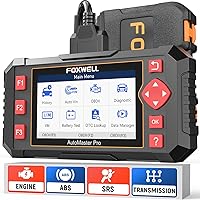
Foxwell NT510 Elite for BMW: Best for full-system BMW diagnostics
- Full-system diagnostics for BMW, Mini and Rolls-Royce
- Bidirectional active tests
- Battery registration for the same battery type and capacity
- Maintenance resets and lifetime software updates
A BMW-focused handheld tool for module diagnostics, active tests, maintenance functions and same-type, same-capacity battery registration. Supported functions vary by model and year.
Pros
- Covers systems beyond the engine
- Includes bidirectional active tests
- Foxwell offers lifetime software updates without subscription fees
Cons
- Battery capacity changes are not supported
- Some functions have model and year restrictions
The Foxwell NT510 Elite for BMW suits owners who want diagnostics across multiple systems plus active tests. Its coverage includes ABS, airbag, transmission and TPMS, along with code reading and live data, subject to vehicle compatibility.
The active test function can command supported components such as fuel pumps, fans and windows. Their response can help narrow down a fault, but it does not prove which part needs replacement.
Foxwell includes maintenance functions such as oil reset, ABS bleeding, brake-pad reset and steering-angle calibration. Its battery registration supports a replacement battery with the same type and capacity as the original, not a change to another capacity.
Choose it when module coverage and active tests matter more than phone-based coding. Check model-year support for the service you need, since not every function works on every BMW, Mini or Rolls-Royce.
ANCEL BM700 PRO for BMW: guided battery registration
ANCEL BM700 PRO for BMW: Best for guided battery registration
- Automatic VIN detection
- Full-system diagnostics
- 20+ maintenance functions
- Battery registration for the same type and capacity
The BM700 PRO combines automatic VIN detection with BMW-focused diagnostics and maintenance functions. Its battery registration supports the same battery type and capacity.
Pros
- Automatic VIN detection
- Includes full-system diagnostics
- Maintenance functions have no subscription fee
Cons
- Cannot change battery capacity
- Supported functions vary by vehicle
The ANCEL BM700 PRO for BMW suits same-spec battery registration and common maintenance jobs, with automatic VIN detection and full-system diagnostics. Its wired connection and built-in screen let you work without pairing a phone and adapter.
ANCEL includes more than 20 maintenance functions, such as oil reset, electronic parking brake reset and ABS bleeding. The tool also offers live data and standard OBD2 functions, with support varying by vehicle.
Battery registration uses a guided process for a replacement battery of the same type and capacity. The tool cannot change battery capacity or perform battery programming, so choose another option if you need that change.
This is a practical choice if you want VIN detection and service functions in one handheld scanner. Confirm that the functions you need are available for your BMW’s model and year.
XTOOL IP500 for BMW: coding with component tests
XTOOL IP500 for BMW: Best for BMW coding and active tests
- Bidirectional active tests
- ECU and offline coding functions
- Battery registration and maintenance services
- Lifetime free Wi-Fi updates
A BMW-focused scan tool that combines active tests, coding functions, module diagnostics and maintenance services. Functions vary by vehicle, so confirm support for your model and VIN.
Pros
- Includes bidirectional control
- Supports coding functions
- XTOOL offers lifetime free Wi-Fi updates
Cons
- Coding and service support varies by vehicle
- Compatibility should be confirmed before buying
The XTOOL IP500 for BMW combines module diagnostics with bidirectional active tests and ECU or offline coding functions. It suits buyers who want to check component responses and change supported vehicle settings with one handheld tool.
Its functions include battery registration, oil reset, electronic parking brake service, steering-angle calibration and injector coding. XTOOL offers lifetime free Wi-Fi updates.
Coding and service functions vary by vehicle and VIN. Confirm support for your exact model before counting on a specific setting or repair function.
Pick this tool if you need both active tests and coding. If your main goal is BimmerCode on a phone, the OBDLink CX Bimmercode Adapter is a more direct match.
LAUNCH Creader Elite V3.0 for BMW: coding and service tasks
LAUNCH Creader Elite V3.0 for BMW: Best for broader service functions
- Full-system diagnostics for BMW, Mini and Rolls-Royce
- Bidirectional active tests
- Battery registration and maintenance services
- Lifetime free updates for BMW software
This handheld scanner combines full-system diagnostics, active tests, coding and service functions. LAUNCH offers lifetime free BMW software updates, while additional brands from its software mall require a separate one-year purchase.
Pros
- Includes active tests and coding functions
- Offers a range of maintenance services
- LAUNCH offers lifetime free BMW software updates
Cons
- Functions vary by model
- DoIP use on some newer chassis requires an adapter
The LAUNCH Creader Elite V3.0 for BMW offers full-system scans, active tests, coding and maintenance functions for compatible BMW, Mini and Rolls-Royce vehicles. Its services include oil reset, ABS bleeding, electronic parking brake service, idle relearn and battery registration.
LAUNCH supports registration for same-type, same-capacity battery replacements and coding for different types or capacities on compatible vehicles. Confirm the exact battery change and vehicle support before relying on this feature.
LAUNCH offers lifetime free updates for the BMW software. Access to other brands through its software mall lasts one year and must be bought again after expiry.
DoIP use for supported BMW F and G chassis vehicles after 2018 requires an adapter. Functions vary by model, so check compatibility for the service or coding option you need.
Choose this tool if its battery coding or service functions match your car and planned jobs. The OBDLink CX Bimmercode Adapter is a smaller option if your main goal is phone-based BimmerCode.
How do you choose an OBD2 scanner for BMW?
Choose a BMW scanner by matching its functions to a specific job, then check support for your model and year. A long feature list matters less if the tool does not cover your car or the system you need to diagnose.
Do you need a BMW OBD2 scanner for module scans or engine codes?
Choose full-system coverage if you need access to ABS, airbags, transmission or other BMW modules. For engine and emissions checks, focus on the standard OBD2 functions you need.
Our guide to full-system OBD2 scanners explains what broader module access can add. It can help you decide whether a basic reader fits your needs or if BMW-specific coverage is worth prioritizing.
Is battery registration your main task?
Check both registration support and the battery changes allowed. The Foxwell NT510 Elite for BMW and ANCEL BM700 PRO for BMW support same-type, same-capacity registration, while LAUNCH supports different specifications on compatible vehicles.
Those differences matter if you are changing battery specifications. Verify the exact function against your vehicle before buying, and see our guide to bidirectional scan tools if active control is also on your shortlist.
Do you want to code settings or run active tests?
Coding changes supported vehicle settings, while an active test commands a component so you can check its response. Neither feature guarantees that a fault has been repaired.
The OBDLink CX Bimmercode Adapter is designed for BimmerCode, while the XTOOL IP500 for BMW and LAUNCH Creader Elite V3.0 for BMW include coding and active tests. Each route needs a compatibility check for your intended operation.
For a plain explanation of active control, read what a bidirectional scan tool does. Follow the tool and vehicle instructions before commanding a component.
Should you choose a phone adapter or handheld scanner?
Choose a phone adapter for compatible app use, or a handheld scanner if you want its own display and diagnostic menus. Match the format to your planned jobs and the functions supported on your car.
The OBDLink CX Bimmercode Adapter works with BimmerCode and the OBDLink app. The other 4 tools provide handheld screens for BMW-focused diagnostics and maintenance tasks.
What should you check before buying a BMW scanner?
Before you choose, verify vehicle coverage, the exact function and any required adapter or app. That check matters most for coding, active tests, battery changes and newer chassis support.
Use the tool’s compatibility information to check your BMW’s model year and the system you plan to access. Coverage for BMW, Mini or Rolls-Royce does not guarantee every function works across those vehicle lines.
For an app adapter, confirm that the app supports both your phone and the intended coding operation. For a handheld tool, check whether any required protocol adapter comes with it or must be bought separately.
If you expect to use the scanner for another make, check its coverage beyond BMW before buying. BMW-focused functions may not carry over to other brands, even when a tool also offers standard OBD2 diagnostics.
Which OBD2 scanner for BMW should you choose?
Choose the OBDLink CX Bimmercode Adapter for phone-based BimmerCode use, or the Foxwell NT510 Elite for BMW for full-system diagnostics and active tests. The ANCEL BM700 PRO for BMW suits guided same-spec battery registration.
Consider the XTOOL IP500 for BMW or LAUNCH Creader Elite V3.0 for BMW when their coding and service functions match your planned jobs. Confirm support for your exact vehicle before choosing either.
For more buying context, compare these options with our guide to choosing an OBD2 scanner. Use your BMW’s model and year as the final compatibility check.
Our top 3 picks at a glance
-
1
-
2
-
3
Frequently asked questions
What should a BMW OBD2 scanner be able to do?
Choose a scanner based on the job: basic engine-code reading, access to BMW modules, battery registration, service resets, coding or active tests. BMW-focused tools can offer access to systems beyond emissions diagnostics.
Check compatibility by model and year before relying on a particular feature.
Can an OBD2 scanner register a BMW battery?
Yes, the Foxwell NT510 Elite for BMW, ANCEL BM700 PRO for BMW, XTOOL IP500 for BMW and LAUNCH Creader Elite V3.0 for BMW offer battery registration.
Foxwell and ANCEL support same-type, same-capacity replacements. Confirm compatibility and support for any battery specification change before buying.
Is a Bluetooth adapter enough for BMW diagnostics?
The OBDLink CX Bimmercode Adapter can suit phone-based coding and diagnostics if it supports your car and app. BimmerCode is sold separately, and vehicle-specific diagnostics require an in-app purchase.
For module scans, service resets or active tests, compare BMW-focused handheld tools and confirm support for your vehicle.
Do BMW scan tools support every model and function?
No, BMW scanner functions can vary by model, model year and vehicle system. A tool may support a service function on one BMW but not another.
Check your exact vehicle and the job you need before buying.
For newer vehicles, confirm whether a required protocol adapter is included.