9 Best Bluetooth OBD2 Scanners for Android (November 2026)
The best Bluetooth OBD2 scanners for Android phones and tablets include the UMEIJA OBD2 Scanner Diagnostic Tool (best overall for android), the Veepeak Mini Bluetooth OBD2 Scanner Code Reader for a low-cost first scanner, and the OBDLink MX+ Bluetooth Scanner for factory-system coverage.
On this page (4 sections)
The best Bluetooth OBD2 scanner for Android is the UMEIJA OBD2 Scanner Diagnostic Tool, because its free dedicated app removes the hardest part of phone diagnostics: getting the software and the adapter to talk. The Veepeak Mini is the simplest low-cost pick for app-savvy users, while the OBDLink MX+ suits owners who want factory-level data on supported brands.
If you already know which app you want, a basic ELM327 adapter does most of the job. If you'd rather skip app hunting, buy a scanner with its own app.
That split decides most purchases.
New to phone diagnostics? Start with our plain-language explainer on what does an OBD2 scanner do.
For a deeper single-tool review, the BlueDriver Bluetooth OBD2 scanner review covers a popular alternative.
Our picks at a glance
-
1

-
2
 Best for a low-cost first scanner
Veepeak Mini Bluetooth OBD2 Scanner Code Reader
9.6/10 our score
See it on Amazon -
3

- 4
 Check it
Panlong OBD2 Scanner Bluetooth Car OBDII Code
Best for Torque users - 5
 Check it
TOPDON Carpal Bluetooth Car Code Reader
Best for multi-car households - 6
 Check it
Innova 1000 Bluetooth OBD2 Scanner for iPhone
Best for repair guidance - 7
 Check it
Veepeak OBDCheck BLE Bluetooth OBD II Scanner
Best for iPhone and Android sharing - 8
 Check it
Jokovar Bluetooth OBD2 Scanner for iOS
Best for no-fee app support - 9
 Best for Android-only deep dataCheck it
Best Bluetooth OBD2 scanners for Android, by use case
Every pick here reads and clears engine codes on an Android phone. They split on app support, how deep they reach into the car's systems, and whether the app costs anything.
Match the scanner to the jobs you actually plan to do.
UMEIJA OBD2 Scanner Diagnostic Tool: Best overall for Android
- Bluetooth 5.4 connection
- Free dedicated app for Android and iOS
- Reads and clears codes, live data and freeze frame
- 9 supported protocols
A dedicated app and a newer Bluetooth version make this the easiest scanner to start with on an Android phone. It also covers a wide spread of makes and model years.
Pros
- Free app in the box
- Bluetooth 5.4 for a faster, steadier link
- Wide make and model coverage
Cons
- Codes clear only after the repair is done
- Unplug it after each session
The UMEIJA V011 suits the Android owner who wants a scanner that works out of the box. The free dedicated app is the difference: scan the QR code on the back of the unit, install it, and the app finds the adapter without a long app-shopping session.
The Bluetooth 5.4 radio is the newest link in this group. UMEIJA says that means a faster, steadier connection with fewer dropouts.
In daily use, that matters when you're watching live data on a phone in a driveway or checking readiness before an emissions test.
Coverage runs to 1996 and newer vehicles and over 96% of makes, including Toyota, Honda, Ford, Chevrolet, BMW, Porsche and Lexus. The app speaks English plus German, Spanish, Finnish, French, Italian, Dutch, Portuguese and Chinese, which helps in a bilingual household.
It reads and clears codes, shows freeze frame and live sensor data, converts readings into easy charts for coolant temperature, RPM, speed and control module voltage, and checks emission readiness. On the caution side, UMEIJA says the fault code clears only after the repair is done, and it recommends unplugging after each session.
There's a 90-day warranty and email support.
Buy it if you want one app, one scanner and no setup puzzle. Skip it if you need ABS, airbag or transmission reading, which this tool doesn't list.
Veepeak Mini Bluetooth OBD2 Scanner Code Reader: Best for a low-cost first scanner
- Android-only classic Bluetooth link
- Works with Torque, Car Scanner and OBD Fusion
- Reads and clears engine codes
- Compact body
A small, simple adapter for Android owners who already know which app they want. It sticks to engine codes and leaves out ABS, SRS and reset functions.
Pros
- Works with popular Android apps
- Compact body fits tight OBD ports
- One-year replacement warranty
Cons
- No iOS support
- No ABS, SRS or reset features
Veepeak's Mini is the pick for Android users who already know their way around Torque or Car Scanner. It's Android-only, so iPhone owners should look elsewhere in this list.
The fit is what stands out. It measures about 1.89 by 0.98 by 1.26 inches and weighs a little over an ounce, a compact profile that leaves legroom alone in cars with an awkwardly placed OBD port.
Press it firmly into the port, because a loose fit is a common cause of a dropped link.
It reads and clears check engine codes, shows live sensor data and checks I/M readiness. Live data covers speed, RPM, coolant temperature, throttle position, oxygen sensor readings, fuel trim and mass air flow.
Veepeak points owners toward Car Scanner or Torque and warns about imitation apps that charge a subscription.
Its limit is depth. Veepeak says it does not support ABS, SRS, TPMS or transmission codes, and it has no reset functions.
Android head units may not work either. For engine-only work that's fine, and the brand adds a one-year replacement warranty.
Buy it for simple engine diagnostics on an Android phone. Skip it if you need airbag or ABS codes, or own an iPhone.
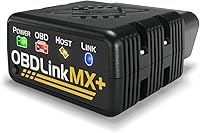
OBDLink MX+ Bluetooth Scanner: Best for factory-system coverage
- iOS, Android and Windows support
- Enhanced data for Ford, GM, Mazda, Toyota and others
- ABS, SRS and TPMS parameters
- Battery drain protection
The pick for owners of late-model Ford, GM, Mazda, Toyota, Honda or Hyundai cars who want more than engine codes. Its app and firmware updates come at no extra cost.
Pros
- Reaches ABS, SRS and TPMS data
- Lifetime firmware and software updates
- Over-voltage and battery drain protection
Cons
- Higher price tier than the budget adapters
- Enhanced support varies by brand
OBDLink's MX+ is the tool for owners of late-model Ford, GM, Mazda, Nissan, Toyota, Honda, Hyundai or Kia cars who want data from beyond the engine bay. It works on iPhone, Android and Windows, and weighs about 28 grams.
The enhanced factory support is the reason to pay more. OBDLink lists extra live parameters for ABS, SRS and TPMS on supported brands.
On certain GM models, the brand says a third-party Android app can even control windows and door locks or remotely start the engine.
It's also the app-friendly choice. OBDLink recommends it for FORScan, Torque, BimmerCode, Dashcommand, AlfaOBD and Carista.
Firmware and software updates arrive at no extra cost, the included zipper case keeps it tidy, and over-voltage and battery drain protection let it stay plugged in.
The included OBDLink app graphs and logs live engine data, and can upload or share it through Dropbox. Also supplied: a quick start guide, compliance insert and warranty card.
Two things to know. Enhanced coverage depends on brand and model year, so an older economy car won't match a newer truck.
And the price sits well above the basic adapters.
Buy it for deep factory data on a supported brand. Skip it for a first scanner on a tight budget.
Panlong OBD2 Scanner Bluetooth Car OBDII Code: Best for Torque users
- Fully ELM327 compliant
- 9 OBDII protocols
- Works with Torque, DashCommand and Car Scanner
- Reads and clears engine codes
A dependable ELM327-style adapter for Android users who like the classic app line-up. It reads codes and live sensor data without any extra hardware.
Pros
- Runs the well-known Android apps
- Reads live sensor data
- One-year warranty
Cons
- Android and Windows only
- Generic engine diagnostics only
Panlong's adapter suits the Android user who likes the classic app line-up. It's fully ELM327 compliant and supports 9 OBDII protocols, so it talks to Torque, DashCommand, Car Scanner, OBD Fusion, OBD Auto Doctor and ScanMaster.
In daily use it covers the basics well: read and clear codes, turn off the check engine light, and view live data like RPM, coolant temperature, load value and speed in text or graph form. Panlong also says it can show misfire, fuel system, EVAP and oxygen sensor behavior, which helps narrow down a rough-running engine.
It also runs an I/M pre-inspection test.
The setup has a quirk worth knowing. If you don't see "OBDII" in your phone's Bluetooth list, that's normal: open the app and it finds the adapter.
If you own two scanners, unpair the first one before using the second. Panlong advises starting with the free app versions before paying for upgrades.
It weighs a bit over half an ounce and carries a one-year warranty. It's Android and Windows only, and it's a generic engine tool.
Buyers who need module-level codes should step up to the TOPDON or OBDLink picks.
Buy it if Torque is your app of choice. Skip it for iOS or for ABS and airbag work.
TOPDON Carpal Bluetooth Car Code Reader: Best for multi-car households
- All-system diagnosis
- 6 reset services including oil and TPMS
- iOS and Android support
- 90+ vehicle brands
A family-car tool that reaches engine, transmission, airbag and ABS systems on more than 90 brands. The six resets cover common maintenance jobs without a trip to the shop.
Pros
- All-system coverage
- Six reset functions
- Works on both iOS and Android
Cons
- Some reset features need extra payment
TOPDON's CarPal suits a household with several cars of different brands. It's an all-system scanner, so it reaches engine, transmission, ABS and airbag systems, and the brand says it covers more than 90 vehicle brands from one pocket-size body.
The six reset services are the practical draw: oil reset, TPMS reset, EPB reset, BMS reset, throttle adaptation and DPF regeneration. Those cover the routine maintenance jobs that usually mean a shop visit.
TOPDON says the six special features are the only paid part and everything else stays free permanently.
It also offers a 0-to-60 mph performance test, a smog check mode for emissions prep, and live data in graphs you can keep as records. The app gives repair guidance for the codes it finds, aimed at entry-level users.
One trade-off: the six resets are the only functions that need payment, so check what your car actually needs first. The feature set leans toward all-system breadth rather than the very deepest factory data on any single brand.
Each unit ships in sealed packaging, and there's a one-year warranty.
Buy it for a multi-car driveway and routine reset jobs. Skip it if you only need engine codes on one car.
Innova 1000 Bluetooth OBD2 Scanner for iPhone: Best for repair guidance
- Engine, ABS and SRS reading
- No subscription fees
- RepairSolutions2 app with fix guidance
- 1996 and newer cars
Innova pairs the adapter with an app that suggests fixes and parts for the code it finds. That makes it a fit for drivers who want a repair plan, not just a code number.
Pros
- Repair guidance with no subscription
- Reads ABS and SRS codes
- Lightweight and portable
Cons
- No reset functions in the feature set
- Coverage varies by vehicle
Innova's 1000 suits drivers who want a repair plan, not just a code number. Its RepairSolutions2 app suggests fixes, parts and cost estimates, and Innova says there are no subscriptions or hidden fees.
It reads engine, ABS and SRS codes on 1996 and newer cars. That's more depth than the basic engine-only adapters here, without the all-system breadth of the TOPDON.
The app also helps you prepare for an emissions test and shows real-time engine performance.
The hardware is light and portable, aimed at home garages and roadside use. It works on iPhone and Android, so it's a good fit for a mixed-phone household, and the kit is just the dongle plus a quick start guide.
The gap is resets. The feature set lists engine, ABS and SRS reading but no oil, EPB or TPMS reset functions.
If those matter, the TOPDON covers them. Coverage also varies by vehicle, so Innova's coverage checker is worth a look before you buy, and the warranty runs one year limited.
Buy it for guided repairs without a subscription. Skip it if you need reset services.
Veepeak OBDCheck BLE Bluetooth OBD II Scanner: Best for iPhone and Android sharing
- Bluetooth LE for iOS and Android
- Works with Car Scanner and OBD Fusion
- Reads and clears engine codes
- I/M readiness and freeze frame
One adapter that works on both phone systems, so a household can share it. It handles standard engine diagnostics and leaves the deep factory work to other tools.
Pros
- Works on iOS and Android
- Fits several popular apps
- Handles I/M readiness checks
Cons
- No reset or advanced module features
- Some apps need a separate purchase
Veepeak's OBDCheck BLE is the shared-household pick. It works on both iOS and Android over Bluetooth LE, so an iPhone and an Android phone can take turns using the same adapter.
It handles standard engine diagnostics: read and clear codes, freeze frame, I/M readiness and live sensor data. It fits Car Scanner, Torque for Android and OBD Fusion, plus vehicle-specific apps like BimmerCode, BimmerLink, OBD JScan and Dr.
Prius. Veepeak warns that some app features need a separate purchase from the developer, and that pre-2008 cars aren't supported with BimmerCode or BimmerLink.
Connect from inside the app, not the phone's Bluetooth menu. The compact body and included carrying case make it easy to keep in the glovebox.
The honest limit is scope. Veepeak says it isn't a full-system scanner and doesn't support injector coding, EPB reset, ABS bleeding or oil resets.
It's built for check-engine light work. For a family with two phone systems and one car, that's enough, and the one-year replacement warranty backs it.
Buy it to share one adapter between iPhone and Android. Skip it for module-level codes or reset jobs.
Jokovar Bluetooth OBD2 Scanner for iOS: Best for no-fee app support
- Free app with no subscription
- 4-system diagnostics on 44+ brands
- Bluetooth 5.1
- AI repair suggestions in the app
A budget-style pick that adds transmission, ABS and SRS reading on a long brand list. The free app includes repair suggestions without a monthly fee.
Pros
- No subscription for the app
- Four-system reading on many brands
- Bluetooth 5.1 link
Cons
- No Dodge, Jeep or Lincoln support
- Third-party apps don't work with it
Jokovar's scanner suits the driver who wants app features without a monthly fee. Its free dedicated app includes repair suggestions and an AI assistant that answers car questions, and the brand says there are no subscriptions or hidden charges plus lifetime software updates.
It reaches four systems: engine, transmission, ABS and SRS. Jokovar lists 44+ brands for that deeper coverage, from Audi and BMW to Toyota, Lexus and Porsche.
Engine-side features include an O2 sensor test, EVAP system test and I/M readiness for smog checks. It's a real step up from engine-only adapters at a modest position in this list.
The brand gaps matter. Jokovar says it does not support Dodge, Jeep or Lincoln, so owners of those makes should pick another tool here.
Third-party apps don't work with it either, so you're tied to Jokovar's own app, and data coverage varies by make, model and year.
Bluetooth 5.1 handles the link on iOS and Android. The two-year warranty is longer than most here.
For a first scanner with module reading and no app fee, it's a sensible choice.
Buy it for no-fee four-system reading. Skip it for Dodge, Jeep or Lincoln, or if you want to use Torque.
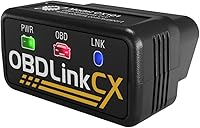
OBDLink LX Bluetooth Adapter: Best for Android-only deep data
- Android and Windows only
- Enhanced data on supported brands
- Intelligent sleep mode
- MotoScan motorcycle support
An Android-only adapter for owners who want enhanced factory data and don't need iOS support. The sleep mode means it can stay plugged in without draining the battery.
Pros
- Sleep mode protects the battery
- Enhanced data on supported brands
- Three-year repair-or-replace warranty
Cons
- No iPhone support
- No hybrid or electric vehicle support
OBDLink's LX is the Android-only sibling of the MX+, aimed at owners who want enhanced data and don't own an iPhone. It works on Android and Windows and weighs about an ounce.
The sleep mode is its practical strength. OBDLink says it can stay plugged in without draining the battery, which suits drivers who want a permanent install.
It also includes the OBDLink app for Android and OBDwiz for Windows, plus support for Torque and DashCommand, and hacker-proof wireless security.
It reaches enhanced data on supported brands and works with MotoScan-compatible motorcycles, which the brand recommends it for. It covers all 1996+ cars and light trucks sold in the US, though not hybrids or EVs.
The three-year repair-or-replace warranty is the longest here.
The limits are clear. There's no iPhone support, no hybrid or electric vehicle support, and the Bluetooth 3.0 link is older than the 5.4 on the UMEIJA.
For an Android-only garage that wants enhanced data and leave-in convenience, it still earns a place.
Buy it for leave-in Android use with enhanced data. Skip it for iPhone, hybrids or EVs.
How we compared these Bluetooth OBD2 scanners
We scored each scanner on what its published specs say, then weighed that against what an Android buyer needs first. Our score weighs specs, features and buyer feedback against what you're shopping for.
App support carried the most weight. A scanner with its own app is easier to start with, while third-party app support rewards owners who already know Torque or Car Scanner.
We also counted protocol coverage, vehicle-year range and whether the tool reaches ABS, SRS or transmission codes.
Connection type mattered too. Bluetooth 5.4 and Bluetooth LE promise a steadier link than older radios, and a newer version usually means quicker data transfer.
We noted battery-drain protection and sleep modes because many owners leave the adapter in the port. Price tier broke ties, but a higher price only helped when the features backed it up.
What should you check before buying a Bluetooth OBD2 scanner for Android?
Buy the scanner that matches the jobs you'll actually do. An engine-only adapter at a low price covers a check engine light.
ABS, airbag and reset work needs a tool with module coverage and the app to run it.
Does the scanner support your Android app?
If you already use Torque, Car Scanner or OBD Fusion, buy an adapter those apps support. The Veepeak Mini, Panlong and Veepeak OBDCheck BLE all list them.
If you'd rather not shop for apps, pick a scanner with its own app, like the UMEIJA or Jokovar.
How deep into the car do you need to go?
Engine codes are the starting point. The Innova 1000 adds ABS and SRS.
The TOPDON Carpal and Jokovar reach transmission and airbag systems too. The OBDLink MX+ goes furthest with enhanced factory data on supported brands.
Decide your depth before you compare prices.
Should you leave the adapter plugged in?
It depends on the model. The OBDLink adapters include sleep mode and battery-drain protection.
UMEIJA advises unplugging after each session. If you want a permanent install, choose a tool that's built for it.
Our guide on can you leave an OBD2 scanner plugged in walks through the trade-offs.
Which phone settings trip people up?
Many adapters connect from inside the app, not from the phone's Bluetooth menu. UMEIJA says Apple phones should skip the settings pairing step and let its app connect.
Veepeak gives the same advice for its BLE model. Start the car first so the port has power.
What does a higher price actually buy?
More module coverage, enhanced factory data and protection features. The OBDLink MX+ adds ABS, SRS and TPMS parameters plus lifetime updates.
Basic adapters handle engine codes for far less. Pay more only when the extra systems matter to your car.
Which Bluetooth OBD2 scanner for Android should you buy?
For most Android owners, the UMEIJA OBD2 Scanner Diagnostic Tool is the one to buy. Its free app and Bluetooth 5.4 link make the best Bluetooth OBD2 scanner Android setup for a first-time phone diagnostician.
It reads and clears engine codes, shows live data and covers most makes from 1996 on.
Buy the Veepeak Mini if you already use Torque and want the simplest engine-only adapter. Choose the OBDLink MX+ for enhanced factory data on a supported brand.
The TOPDON Carpal fits a multi-car driveway that needs resets. For no-fee four-system reading, the Jokovar is the value pick.
For the wider field, see our best Bluetooth OBD2 scanners roundup. New to the topic?
Read what an OBD2 scanner does first, then come back to this list.
| Product | Best for | Connection | Vehicle coverage | App | Our score |
|---|---|---|---|---|---|
| UMEIJA OBD2 Scanner Diagnostic Tool | overall for Android | Bluetooth 5.4 | 1996 and newer, over 96% of makes | Free dedicated app | 9.7 |
| Veepeak Mini Bluetooth OBD2 Scanner Code Reader | a low-cost first scanner | Classic Bluetooth | 9.6 | ||
| OBDLink MX+ Bluetooth Scanner | factory-system coverage | Bluetooth | 9.3 | ||
| Panlong OBD2 Scanner Bluetooth Car OBDII Code | Torque users | Bluetooth | 8.9 | ||
| TOPDON Carpal Bluetooth Car Code Reader | multi-car households | Bluetooth | 8.6 | ||
| Innova 1000 Bluetooth OBD2 Scanner for iPhone | repair guidance | Bluetooth | 8.4 | ||
| Veepeak OBDCheck BLE Bluetooth OBD II Scanner | iPhone and Android sharing | Bluetooth LE | 8.2 | ||
| Jokovar Bluetooth OBD2 Scanner for iOS | no-fee app support | Bluetooth 5.1 | 8.0 | ||
| OBDLink LX Bluetooth Adapter | Android-only deep data | Bluetooth 3.0 | 7.5 |
Our top 3 picks at a glance
-
1
-
2
Best for a low-cost first scanner
Veepeak Mini Bluetooth OBD2 Scanner Code Reader
9.6/10 our score
See it on Amazon -
3
Frequently asked questions
Which Bluetooth OBD2 scanner works best with an Android phone?
The UMEIJA V011 is the strongest all-round pick for Android because its free dedicated app removes the guesswork of choosing a third-party app. Veepeak and Panlong adapters suit owners who already use Torque or Car Scanner.
Can I leave a Bluetooth OBD2 scanner plugged into my car?
It depends on the adapter. Some makers build in sleep or battery-drain protection, while others advise unplugging after each session.
UMEIJA recommends unplugging after use.
If you plan to leave one in place, read our guide on whether you can leave an OBD2 scanner plugged in.
Do I need a paid app to use a Bluetooth OBD2 scanner?
Not always. UMEIJA, Jokovar and Innova include a free app.
Many third-party apps like Torque and Car Scanner have a free tier, with paid upgrades for extra gauges or features.
Some apps require a one-time or yearly purchase from the developer.
Why won't my Bluetooth OBD2 scanner connect to my Android phone?
Start the car so the port has power, then open the app and connect from inside it rather than through your phone's Bluetooth menu. Some adapters, like UMEIJA, say to skip the phone settings pairing step.
Also check that the adapter sits firmly in the port.
Is a cheap Bluetooth OBD2 scanner as good as a professional scan tool?
No, not for deep factory work. Budget adapters handle engine codes and live data, while tools like the OBDLink MX+ reach more modules on supported brands.
For routine check-engine light work on Android, a basic adapter does most of what a home mechanic needs.